- Nederlands, Belgique / België
- Česky, Česká republika
- Deutsch, Deutschland
- Español, España
- Português, Portugal
- English, Europe
- Français, France
- Italiano, Italia
- Magyar, Magyarország
- Nederlands, Nederland
- Deutsch, Österreich
- Polski, Polska
- Română, România
- Suisse / Schweiz / Svizzera
- Svenska, Sverige
- Suomeksi, Suomi
- Türkçe, Türkiye
- English, United Kingdom
- Slovenská, Slovak
-
 Worldwide


- TOP produkty
- Produkty podle odvětví
- Ruční měřidla a systémy přenosu dat
- Souřadnicové měřící stroje
- Kamerové měřící systémy
- Optické měřící přístroje
- Přístroje pro měření tvaru
- Tvrdoměry
- Snímací systémy
- Lineární pravítka a DRO systémy
- Systémy přenosu dat
- Software
- Automatizovaná měřící zařízení
- Systémy počítačové tomografie
- Všechny TOP produkty
- QM-Fit
- SmartMeasure-AL
- SJ-220
- QuantuMike
- LEGEX Takumi
- STRATO-Active
- Measurlink V10
- TAGLENS
- MCOSMOS V5
- Crysta Apex V
- FORMTRACER Avant
- MiSTAR 555
- Posuvná měřidla
- Přenos dat přes Bluetooth
- QuickVision Pro
- Všechny Produkty podle odvětví
- Letecký průmysl
- Lékařská technika
- Automobilový průmysl
- Energetika
- Obecná výroba
- Elektronika
- Original Equipment Manufacturers (OEM)
- Případové studie
- Všechny Ruční měřidla a systémy přenosu dat
- Posuvná měřítka
- Mikrometry a mikrometrické hlavice
- Měřidla pro vnitřní rozměry
- Hloubkoměry
- Výškoměry
- Úchylkoměry a měřidla s úchylkoměry
- Pomocná zařízení a ostatní
- Přístroje pro kalibraci
- Základní měrky
- Všechny Souřadnicové měřící stroje
- Malé a střední CMM
- CMM do výroby a výrobních linek
- Velké CMM
- Rotační stoly pro CMM
- Sondy
- Doteky
- Upevňovací prvky
- CMM - příslušenství
- CMM - software
- SmartMeasure-AL
- Všechny Kamerové měřící systémy
- Manual 2D Vision Measuring Machines QM-Fit
- Manual 2D Vision Measuring Machines Quick Image
- Manual 3D Vision Systems
- 3D CNC Vision Systems
- 3D CNC Multi-sensor Vision Systems
- 3D CNC Micro Geometry Vision Systems
- Vision System Software
- Accessories for Vision Machines
- Vision System Fixtures
- Vision System Styli
- Všechny Optické měřící přístroje
- Lupy
- Měřící projektory
- Měřící mikroskopy
- Mikroskopové jednotky
- Interferometrické jednotky
- Objektivy
- M2 software pro projektory a měřící mikroskopy
- TAGLENS
- Upevňovací prvky pro optická měření
- Všechny Přístroje pro měření tvaru
- Drsnost a povrch
- Kontura
- Drsnost a povrch + kontura
- Tvar
- Software pro FMI
- Upevňovací prvky
- Všechny Tvrdoměry
- Softwares for Hardness Testing Machines
- Portable Hardness Testers
- Hardness Reference Materials and Indenters
- Rockwell Hardness Testing Machines
- Vickers Hardness Testing Machines
- Micro-Vickers Hardness Testing Machines
- Všechny Snímací systémy
- Lineární snímače
- Měřidla pro měření malou silou
- Čítače a zobrazovací jednotky
- Laserové skenovací mikrometry
- Měření povrchu
- Software pro aplikace se snímači
- Všechny Lineární pravítka a DRO systémy
- DRO Linární odměřovací pravítka
- NC Lineární odměřovací pravítka
- Jednotky odměřovacích pravítek
- Rotační enkodéry
- Posuvná měřítka
- Digitální posuvná měřítka
- Speciální posuvná měřítka
- Klasická posuvná měřítka
- Posuvná měřítka - příslušenství
- Mikrometry a mikrometrické hlavice
- Digitální a klasické mikrometry
- Mikrometry - příslušenství
- Mikrometrické hlavice
- Mikrometrické hlavice - příslušenství
- Měřidla pro vnitřní rozměry
- Mikrometry pro vnitřní rozměry
- Dutinoměry
- Dutinoměry a vnitř. mikrometry - příslušenství
- Hloubkoměry
- Hloubkoměrné mikrometry (0,001 mm)
- Hloubkoměrná posuvné měřítka (0,01 mm)
- Hloubkoměry - příslušenství
- Úchylkoměry a měřidla s úchylkoměry
- Digitální úchylkoměry
- Úchylkoměry - příslušenství
- Páčkové úchylkoměry
- Číselníkové úchylkoměry (mechanické)
- Číselníkové úchylkoměry - příslušenství
- Thickness, Caliper & Tension Gauges
- Pomocná zařízení a ostatní
- Stojánky pro úchylkoměry
- Přesné svěráky
- Ocelové a granitové desky
- Úhloměry a úhelníky
- Měřidla na měření spár a pravítka
- Přístroje pro kalibraci
- Výškové normály Height Master
- Délkové normály Check Master
- Kalibrační přístroje
- Základní měrky
- Sady ocelových základních měrek
- Ocelové základní měrky jednotlivé
- Sady keramických základních měrek
- Keramické základní měrky jednotlivé
- Základní měrky speciální
- Základní měrky - příslušenství
- Accessories for Square Gauge Blocks
- Malé a střední CMM
- CRYSTA-Apex V - 500, 700, & 900 Series
- CRYSTA-Apex V - 1200, 1600 & 2000 Series
- CRYSTA-Apex EX Series for REVO
- STRATO-Active Series
- STRATO-Apex - 500, 700, & 900 Series
- STRATO-Apex - 1600 Series
- LEGEX Series
- CRYSTA KM 565
- Doteky
- Styli Kits
- Straight Styli
- Diamond Coated Styli
- Solid Diamond Styli
- Master Ball
- Machine Tool Styli
- Star Styli
- Styli for Star Styli
- Styli for Clamping Holder
- Cylinder Styli
- Disk Styli
- Tip Styli
- Extensions
- Holders
- Adapters
- Joints
- Screws for Cubes
- Tools
- StyliCleaner
- Upevňovací prvky
- CMM Fixturing Kits
- Eco-fix Pallet Receiver System Kits
- FixtureBuilder Software
- Eco-fix and Eco-fixplus Extension Sets
- Eco-fix and Eco-fixplus Components
- Eco-fix Screws and Tools
- 3D CNC Vision Systems
- Quick Vision ACTIVE
- Quick Vision APEX / HYPER
- Quick Vision ACCEL
- Quick Vision ULTRA
- Accessories for Vision Machines
- Objective Lenses and Calibration Charts
- QV Index
- Accessories for TP-Retrofit
- Vision System Fixtures
- Optical Measurement Fixturing Kits
- Opti-fix Components
- Opti-fix Screws and Tools
- Vision System Styli
- Straight Styli
- Extension
- Star Styli
- Holders
- Styli for 5-way Styli
- Styli for Clamping Holder
- Adapters
- Joints
- Cylinder Styli
- Disk Styli
- Tip Styli
- Screw for Cube
- Tools
- Styli Kits
- Měřící projektory
- PJ Series
- PV Series
- PH Series
- Data Processing Unit
- Accessories
- Accuracy Inspection Tools
- Měřící mikroskopy
- TM Series Gen. B
- MF Series Gen. D
- MF-U Series Gen. D
- Illumination Sources
- Vision Unit
- QSPAK-VUE Software
- Microscope Cameras
- Objektivy
- ML-Series Objectives
- Brightfield Observation Objectives
- Brightfield/Darkfield Observation Objectives
- NIR Objectives
- NIR LCD Objectives
- NUV Objectives
- NUV LCD Objectives
- UV Objectives
- UV LCD Objectives
- Interferometer Objectives
- Upevňovací prvky pro optická měření
- Optical Measurement Fixturing Kits
- Opti-fix Components
- Opti-fix Screws and Tools
- Drsnost a povrch
- Surftest SJ-220
- Surftest SJ-310
- Surftest SJ-410
- Surftest SJ-500
- Surftest SV-2100
- Surftest SJ-500P
- Surftest SV-2100P
- Formtracer Avant FTA-S3000
- Surftest Extreme SV-3000CNC
- Surftest Extreme SV-M3000CNC
- Drsnost a povrch + kontura
- Formtracer Avant FTA-D3000 / FTA-D4000 Series
- Formtracer Avant FTA-H3000
- Formtracer Extreme SV-C4500CNC
- Formtracer Extreme SV-C4500CNC HYBRID Type 1
- Formtracer Extreme CS-5000CNC and CS-H5000CNC
- Portable Hardness Testers
- Impact Type Hardness Testing Unit HARDMATIC HH-V400
- Digital and Analogue Durometers HARDMATIC HH-300
- Hardness Reference Materials and Indenters
- Hardness reference materials
- Hardness indenters and replacement balls
- Rockwell Hardness Testing Machines
- Manual Rockwell Hardness Testing Machines
- Semi-automatic Rockwell Hardness Testing Machines
- Automatic Rockwell Hardness Testing Machines
- Semi automatic Rockwell bundles
- Vickers Hardness Testing Machines
- Manual Vickers Hardness Testing Machines
- Semi-automatic Vickers Hardness Testing Machines
- Automatic Vickers Hardness Testing Machines
- Micro-Vickers Hardness Testing Machines
- Manual Micro-Vickers Hardness Testing Machines
- Semi-automatic Micro-Vickers Hardness Testing Machines
- Automatic Micro-Vickers Hardness Testing Machines
- Lineární snímače
- ABSOLUTE Digimatic Linear Gauge LGS Series
- Air Drive Unit
- Linear Gauge LG100 Series
- Linear Gauge LG200 Series
- Vysoce přesné lineární snímače
- Čítače a zobrazovací jednotky
- EJ Counter and Interfaces for Linear Gauges
- EC Counter for Linear Gauges
- EG Counter for Linear Gauges
- EH Counter for Linear Gauges
- EV Counter for Linear Gauges
- Display Unit for EV Counter
- Laserové skenovací mikrometry
- Laser Scan Micrometer Measuring Unit
- Laser Scan Micrometer Controller Unit
- Laser Scan Micrometer Interface Unit
- Laser Scan Micrometer Optional Accessories
- DRO Linární odměřovací pravítka
- DRO Linear Scales AT103
- DRO Linear Scales AT103 - High Accuracy
- DRO Linear Scales AT113
- DRO Linear Scales AT113 - High Accuracy
- DRO ABS Linear Scales AT715
- Universal DRO KA-200 Counter
- DRO ABS Linear Scales AT715 bundles
- NC Lineární odměřovací pravítka
- NC Lineárání odměřovací pravítko ST36
- NC Lineárání odměřovací pravítko ST46-EZA
- NC Lineárání odměřovací pravítko ABS ST700
- NC Lineárání odměřovací pravítko ABS ST1300
- NC Lineárání odměřovací pravítko AT211
- NC Lineárání odměřovací pravítko ABS AT1100
- NC Lineárání odměřovací pravítko ABS AT1300
- Jednotky odměřovacích pravítek
- Horizontal ABSOLUTE Scale Coolant Proof IP66
- Horizontal ABSOLUTE Scale Standard
- Horizontal ABSOLUTE Scale Measurement Direction Switching
- Horizontal ABSOLUTE Scale Diameter Function
- Vertical ABSOLUTE Scale Standard
- Vertical ABSOLUTE Scale Measurement Direction Switching
- Vertical ABSOLUTE Scale Diameter Function
- Datové kabely
- USB Input Tool Direct (Digimatic → USB kabely)
- Digimatic datové kabely
- Digimatic propojovací kabely
- Bezdrátové přenosy dat
- Bezdrátový systém U-WAVE (IEEE802.15.4)
- Bezdrátový systém U-WAVE BT (Bluetooth)
- U-WAVE propojovací kabely a můstky pro vysílací moduly
 Případové studie
Chcete-li získat přehled o schopnostech společnosti Mitutoyo, není lepší místo než naše sbírka případových studií.
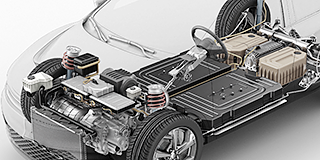 Automotive
Automobilový průmysl trvale inovuje a společnost Mitutoyo tomu poskytuje pokročilá měření, která výrobcům pomáhají dosáhnout trvalé kvality produkce.
 Energetika
Měření a analýza pro obor energetiky je směřována k tomu, aby poskytovatelům energie pomohla zvýšit spolehlivost a provozuschopnost jejich zařízení.
 Lékařská technika
Zejména v zájmu ochrany zdraví vyžaduje lékařská technika mimořádnou přesnost. Podívejte se, jak ji lze zajistit pomocí řešení společnosti Mitutoyo.
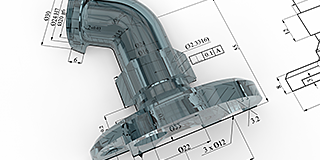 Všeobecná výroba
Pomocí zařízení pro měření tvarů, souřadnicových měřicích strojů a přesných měřicích strojů společnosti Mitutoyo lze zajistit vysokou opakovatelnost a vyhovět přísným nárokům kontroly kvality.
 Letecký průmysl
Složité letecké aplikace vyžadují rychlou a mimořádně přesnou kontrolu kvality, která je nezbytná pro přesnou montáž složitých sestav. Podívejte se, jak se na tom Mitutoyo podílí.
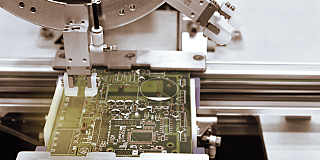 Elektronika
Bezkontaktní optické měřicí systémy společnosti Mitutoyo přinášejí mikroskopickou přesnost vhodnou pro měření a kontrolu stále hustější a kompaktnější elektroniky.
 Mitutoyo Japan Desk
The first stop for Japanese companies operating in Europe
 Zakázkové produkty
Zakázkové produkty a výrobky pro speciální aplikace
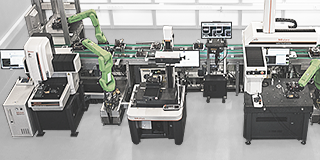 Řešení automatizace a integrace
Proměňte svou továrnu v chytrou továrnu s pomocí společnosti Mitutoyo
 Integrátoři
Snadná integrace měřicích zařízení do stávajících procesů
 Opravy a náhradní díly
Náhradní díly a opravy měřící techniky.
 Kalibrace
Nechte si kalibrovat měřicí přístroje v laboratoři, které důvěřujete.
 Služby na místě
Služby a servis měřicích a zkušebních strojů u zákazníka
 Zakázkové měření
Měření a programování dílů jako služba.
 Předvádění produktů
Online nebo offline - nechte si předvést produkt ještě dnes!
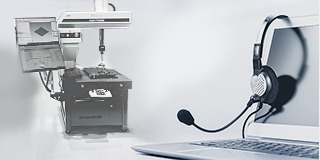 IT podpora
Dokonalá a bezproblémová instalace a integrace do infrastruktury IT.

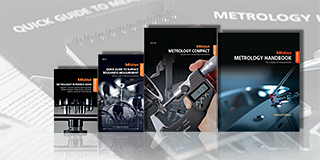 Vzdělávací balíčky
Pro dílnu nebo učebnu není lepšího pomocníka než plakáty nebo výukové materiály od společnosti Mitutoyo.
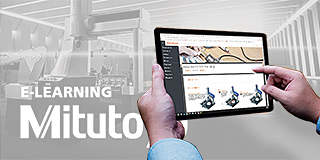 E-Learning
Zájemcům o metrologii nabízí společnost Mitutoyo e-learningové kurzy, které pomáhají školit studenty, zaměstnance nebo i fanoušky měření.
 Objevte Mitutoyo
Největší metrologická společnost na světě
 Trust Center
Zde si můžete prohlédnout naše certifikáty, akreditace a oprávnění, abyste se mohli přesvědčit o spolehlivosti a ověřitelnosti našich služeb
 Kariéra
Zjistěte, jaké to je pracovat ve společnosti Mitutoyo, a o dalších krocích na cestě k vaší možné kariéře zde.
 Události
Sledujte aktuální informace o událostech v celé Evropě a podívejte se, co je u společnosti Mitutoyo nového.
 Speciální akce
Podívejte se, které z vašich oblíbených produktů jsou tento měsíc za akční cenu.
 Press Area
Podívejte se na naše nejnovější zprávy, aktualizace a zdroje.
 Software
Snadné a pohodlné stahování našeho softwaru a aktualizací
 Prohlášení o shodě
Zde si můžete stáhnout plné verze pro EU.
 Tapety ke stažení
Zde můžete zdarma stáhnout oficiální tapety firmy Mitutoyo
 Mitutoyo propagační materiály
Zdroje pro zaměstnance společnosti Mitutoyo a externí dodavatele
-
Produkty
- Zpět Produkty
- Produkty
- TOP produkty
- Produkty podle odvětví
-
Ruční měřidla a systémy přenosu dat
- Zpět Ruční měřidla a systémy přenosu dat Všechny Ruční měřidla a systémy přenosu dat
- Posuvná měřítka
-
Mikrometry a mikrometrické hlavice
- Zpět Mikrometry a mikrometrické hlavice Mikrometry a mikrometrické hlavice
- Digitální a klasické mikrometry
- Mikrometry - příslušenství
- Mikrometrické hlavice
- Mikrometrické hlavice - příslušenství
-
Měřidla pro vnitřní rozměry
- Zpět Měřidla pro vnitřní rozměry Měřidla pro vnitřní rozměry
- Mikrometry pro vnitřní rozměry
- Dutinoměry
- Dutinoměry a vnitř. mikrometry - příslušenství
- Hloubkoměry
- Výškoměry
- Úchylkoměry a měřidla s úchylkoměry
- Pomocná zařízení a ostatní
-
Přístroje pro kalibraci
- Zpět Přístroje pro kalibraci Přístroje pro kalibraci
- Výškové normály Height Master
- Délkové normály Check Master
- Kalibrační přístroje
- Základní měrky
-
Souřadnicové měřící stroje
- Zpět Souřadnicové měřící stroje Všechny Souřadnicové měřící stroje
- Malé a střední CMM
-
CMM do výroby a výrobních linek
- Zpět CMM do výroby a výrobních linek CMM do výroby a výrobních linek
- MACH Ko-ga-me
- MACH 3A 653
- MACH V 9106
- MiSTAR 555
-
Velké CMM
- Zpět Velké CMM Velké CMM
- STRATO Apex G
- CARB-Series
-
Rotační stoly pro CMM
- Zpět Rotační stoly pro CMM Rotační stoly pro CMM
- MRT240 Rotary Table
- MRT320 Rotary Table
- Sondy
- Doteky
- Upevňovací prvky
-
CMM - příslušenství
- Zpět CMM - příslušenství CMM - příslušenství
- Enclosures
- Security System
-
CMM - software
- Zpět CMM - software CMM - software
- MiCAT Planner
- MCOSMOS
- MAFIS Express
- MSURF
- GEARPAK EXPRESS
- SmartMeasure-AL
-
Kamerové měřící systémy
- Zpět Kamerové měřící systémy Všechny Kamerové měřící systémy
- Manual 2D Vision Measuring Machines QM-Fit
-
Manual 2D Vision Measuring Machines Quick Image
- Zpět Manual 2D Vision Measuring Machines Quick Image Manual 2D Vision Measuring Machines Quick Image
- Quick Image
- Quick Image Software
-
Manual 3D Vision Systems
- Zpět Manual 3D Vision Systems Manual 3D Vision Systems
- Manual Quick Scope
- Quick Scope Software
-
3D CNC Vision Systems
- Zpět 3D CNC Vision Systems 3D CNC Vision Systems
- Quick Vision ACTIVE
- Quick Vision APEX / HYPER
- Quick Vision ACCEL
- Quick Vision ULTRA
-
3D CNC Multi-sensor Vision Systems
- Zpět 3D CNC Multi-sensor Vision Systems 3D CNC Multi-sensor Vision Systems
- Quick Vision Hybrid
- Quick Vision WLI
-
3D CNC Micro Geometry Vision Systems
- Zpět 3D CNC Micro Geometry Vision Systems 3D CNC Micro Geometry Vision Systems
- UMAP Vision Systems
- UMAP Software
-
Vision System Software
- Zpět Vision System Software Vision System Software
- QVPAK
- QSPAK
- QIPAK
-
Accessories for Vision Machines
- Zpět Accessories for Vision Machines Accessories for Vision Machines
- Objective Lenses and Calibration Charts
- QV Index
- Accessories for TP-Retrofit
-
Vision System Fixtures
- Zpět Vision System Fixtures Vision System Fixtures
- Optical Measurement Fixturing Kits
- Opti-fix Components
- Opti-fix Screws and Tools
- Vision System Styli
-
Optické měřící přístroje
- Zpět Optické měřící přístroje Všechny Optické měřící přístroje
-
Lupy
- Zpět Lupy Lupy
- Clear Loupes
- Měřící projektory
- Měřící mikroskopy
-
Mikroskopové jednotky
- Zpět Mikroskopové jednotky Mikroskopové jednotky
- Microscope Unit FS70 Series
- Video Microscope Unit VMU Series
- Interferometrické jednotky
- Objektivy
- M2 software pro projektory a měřící mikroskopy
- TAGLENS
-
Upevňovací prvky pro optická měření
- Zpět Upevňovací prvky pro optická měření Upevňovací prvky pro optická měření
- Optical Measurement Fixturing Kits
- Opti-fix Components
- Opti-fix Screws and Tools
-
Přístroje pro měření tvaru
- Zpět Přístroje pro měření tvaru Všechny Přístroje pro měření tvaru
- Drsnost a povrch
- Kontura
- Drsnost a povrch + kontura
-
Tvar
- Zpět Tvar Tvar
- Roundtest
- Roundtracer
-
Software pro FMI
- Zpět Software pro FMI Software pro FMI
- Formtracepak
- Roundpak
- MCube Map V11
-
Upevňovací prvky
- Zpět Upevňovací prvky Upevňovací prvky
- Eco-fix FMI Kits
-
Tvrdoměry
- Zpět Tvrdoměry Všechny Tvrdoměry
-
Softwares for Hardness Testing Machines
- Zpět Softwares for Hardness Testing Machines Softwares for Hardness Testing Machines
- AVPAK
- Portable Hardness Testers
-
Hardness Reference Materials and Indenters
- Zpět Hardness Reference Materials and Indenters Hardness Reference Materials and Indenters
- Hardness reference materials
- Hardness indenters and replacement balls
- Rockwell Hardness Testing Machines
- Vickers Hardness Testing Machines
- Micro-Vickers Hardness Testing Machines
-
Snímací systémy
- Zpět Snímací systémy Všechny Snímací systémy
- Lineární snímače
-
Měřidla pro měření malou silou
- Zpět Měřidla pro měření malou silou Měřidla pro měření malou silou
- LITEMATIC VL-50 Motorized low force, high precision gauges
- Čítače a zobrazovací jednotky
- Laserové skenovací mikrometry
- Měření povrchu
- Software pro aplikace se snímači
-
Lineární pravítka a DRO systémy
- Zpět Lineární pravítka a DRO systémy Všechny Lineární pravítka a DRO systémy
- DRO Linární odměřovací pravítka
-
NC Lineární odměřovací pravítka
- Zpět NC Lineární odměřovací pravítka NC Lineární odměřovací pravítka
- NC Lineárání odměřovací pravítko ST36
- NC Lineárání odměřovací pravítko ST46-EZA
- NC Lineárání odměřovací pravítko ABS ST700
- NC Lineárání odměřovací pravítko ABS ST1300
- NC Lineárání odměřovací pravítko AT211
- NC Lineárání odměřovací pravítko ABS AT1100
- NC Lineárání odměřovací pravítko ABS AT1300
-
Jednotky odměřovacích pravítek
- Zpět Jednotky odměřovacích pravítek Jednotky odměřovacích pravítek
- Horizontal ABSOLUTE Scale Coolant Proof IP66
- Horizontal ABSOLUTE Scale Standard
- Horizontal ABSOLUTE Scale Measurement Direction Switching
- Horizontal ABSOLUTE Scale Diameter Function
- Vertical ABSOLUTE Scale Standard
- Vertical ABSOLUTE Scale Measurement Direction Switching
- Vertical ABSOLUTE Scale Diameter Function
-
Rotační enkodéry
- Zpět Rotační enkodéry Rotační enkodéry
- ABS OR700 BiSS-C
- ABS OR700 FANUC
- ABS OR700 ENSIS
-
Systémy přenosu dat
- Zpět Systémy přenosu dat Všechny Systémy přenosu dat
-
Software pro pořizování a správu dat
- Zpět Software pro pořizování a správu dat Software pro pořizování a správu dat
- MeasurLink 10
- USB-ITPAK
-
Mini procesory a tiskárny
- Zpět Mini procesory a tiskárny Mini procesory a tiskárny
- Digimatic Mini Processor DP-1VA LOGGER
- Datové kabely
- Bezdrátové přenosy dat
- Rozhraní
-
Časovače a Digimatic přepínače
- Zpět Časovače a Digimatic přepínače Časovače a Digimatic přepínače
- Digimatic Timerbox
- Digimatic přepínač
-
Software
- Zpět Software Všechny Software
-
CMM Software
- Zpět CMM Software CMM Software
- MiCAT Planner
- MCOSMOS
- MAFIS-Express
- MSURF
- GEARPAK EXPRESS
-
Vision System Software
- Zpět Vision System Software Vision System Software
- QVPAK
- QSPAK
- QIPAK
-
FMI Software
- Zpět FMI Software FMI Software
- Formtracepak
- Roundpak
- MCube Map V9
- Hardness Testing Software
- Sensor Management Software
-
Data Management Software
- Zpět Data Management Software Data Management Software
- Measurlink 10
- USB-ITPAK
- Automatizovaná měřící zařízení
- Systémy počítačové tomografie
- Oblasti
-
Služby
- Zpět Služby
- Služby
- Mitutoyo Japan Desk
- Zakázkové produkty
- Řešení automatizace a integrace
- Integrátoři
- Opravy a náhradní díly
- Kalibrace
- Služby na místě
- Zakázkové měření
- Předvádění produktů
- IT podpora
-
Produktová a metrologická školení
- Zpět Produktová a metrologická školení
- Produktová a metrologická školení
-
Řešení pro Smart Factory
- Zpět Řešení pro Smart Factory
- Řešení pro Smart Factory
- OEM
-
Vzdělávání
- Zpět Vzdělávání
- Vzdělávání
- Vzdělávací balíčky
- E-Learning
- O nás
-
Novinky
- Zpět Novinky
- Novinky
- Události
-
Speciální akce
- Zpět Speciální akce
- Speciální akce
- Press Area - Nové sondy pre SMS
- Press Area
- Ke stažení


Frequently Asked Questions
The frequently asked questions (FAQ) section on Mitutoyo's website serves as a comprehensive resource to address common queries and concerns about their products and services. This dedicated page is designed to provide users with quick and easily accessible answers to a wide range of topics related to Mitutoyo's precision measurement instruments and solutions.
For answers to the questions you have, please search through the various topics below.
By clicking the “Register” button, located in the header navigation row, the “Account Registration” will open. Put in all required data and click on the “Register” button located in the left bottom corner.
If the registration was successful you will receive an email notification with your customer number and login data.
Please note: With the exception of customers from the UK, only dealer partners of the European Mitutoyo subsidiaries can register for the Dealer Portal.
As a registered Dealer Partner you’ll have full access to the Mitutoyo B2B Webshop. After logging in you can buy our products, manage user profiles of your company, etc. o log in click on the “Log in” button, located in the header navigation row. If you are not registered yet please click on the “Register” button and follow the instructions for registration as a Dealer Partner. Enter your “User name / Customer number” and “Password”. Then click on the “Log in” button. If you have lost your password please click on the “Forgot your password?” button. You will receive an email with your new login data.
Full access
If you have successfully logged in you will see three new fields on the header navigation bar:
• Name of the Company
• Order History
• User Account Management
When you click on the button “User Account Management” a window will open where you can check your account data and, if necessary, change your password.
You can also create and manage other user profiles for your company and allocate different roles to them. In the “User Account Management” section you can also manage the delivery addresses of your company.
Click on the cross symbol. Enter the required data and set a password for the person you like to constitute as a sub-user. Then allocate a role to the person.
Purchaser: The sub-user can view and buy products.
Viewer: The sub-user can view products.
Manage the delivery addresses of your company. You can activate and deactivate all addresses. Only activated addresses can be chosen during the checkout process.
Products & Shopping
Upper Toolbar
Click on the tab “Products” in the upper toolbar and choose a product category. Then navigate to the sub-categories
Search field
Enter a keyword or product code to find your product (eg. Digimatic Caliber or IP67).
Product Navigation tree
Search product categories with a dropdown menu. Click on the
arrow button to enlarge the menu and choose your sub-category.
Product categories
Click on the category field and choose your sub-category.
After choosing a product you can put it on the comparison list. Click on the “Add to comparison” button, located at the upper right corner of the product details, to add the product to the comparison list. Add other products to the list for comparison.
Click on the “Comparison list” button. This button is located right beside the product search field. This field also shows the number of products on the comparison list.
After opening the comparison list you will see all the specific data of the chosen products. You can add or delete products from the list as you like. Just click on the waste basket icon above the product to delete it from the list. To clear the comparison list completely click on the waste basket icon located under the title (Comparison list).
For each product additional information like Variants, Additional Products, Leaflets, Videos, and Software is available. If such information is available for your chosen product you will find it at the bottom of the “Product details” page.
Example 1: To enlarge the list of additional products click on the cross icon. You can add the listed products to your comparison list or your basket.
Example 2: To view product videos click on the “Video” button. A list of product videos will appear
To purchase a product click on the shopping basket icon. The product will appear in the shopping basket. The basket icon shows the number of items in the basket as well as the total cost.
Change quantity and additional services Click on the basket icon to open your shopping basket. On the basket page, you can add the products to the comparison list, change the quantity and add additional services to your product (like calibration). Below the product details, you will find a colored hook, which shows the estimated delivery date. Note: Customers in Italy can set a fixed delivery date for their orders.
Saving your basket You can save your basket. This is especially comfortable if you wish to re-order the chosen products, for example. Click on the disc icon, enter a name for the basket, and click on OK.
If all desired products are in the basket click on “Proceed to Checkout”. Please review the following:
• Check your order and details.
• Add, delete, or change the number of products. Click on “Edit order”
• Define an internal order reference. This reference is for your own use.
• Accept our terms and conditions.
• Then you have the option to receive the order as a single delivery (activate the button “Ship as a single delivery”), add a comment to your order, or add a different delivery address.
Click on the “BUY NOW” button to purchase the products.
Order confirmation: After clicking the “BUY NOW” button an order confirmation will be sent to your email address. You can now continue shopping, maintain your account or log out
The “Order History” provides you with a detailed overview of all your former orders. The “Order History” is located in the header navigation row.
Date: shows the day the order was taken.
Order number: shows you the order number issued by Mitutoyo (not your internal reference number)
Order state: indicates whether your order is fulfilled or in wait for delivery.
If you like to use Excel- / CSV files for ordering large quantities of products from Mitutoyo you can directly upload these files into the basket.
• Click on the “Page” icon right beside the “Basket” button.
• Choose the file you like to upload.
• Reset the shopping basket prior to importing if you like to make a new order.
• If the first line of your sheet just contains labels click on the “ignore” field.
• Set the column with the article numbers.
• Set the column with the quantity.
• Separate characters (relevant for CSV files).
• Click on “Start import”. Your order will now appear in the shopping basket.
General Questions
If you have any kind of technical questions, please contact your local Mitutoyo organization.
If you have any about our dealers, please contact your local Mitutoyo organization.
For any questions about maintenance in the field please refer to our field service page.
If you need information about repairs or spare parts, please check out our page dedicated to them.
Please refer to our training page to obtain more information about this topic.
For more information about ISO certificates at Mitutoyo, please go to the dedicated page:
For questions about existing quotes, your order status, or more please refer to your local organization for further details.