Kies hier je land en taal
- Nederlands, Belgique / België
- Česky, Česká republika
- Deutsch, Deutschland
- Español, España
- Português, Portugal
- English, Europe
- Français, France
- Italiano, Italia
- Magyar, Magyarország
- Nederlands, Nederland
- Deutsch, Österreich
- Polski, Polska
- Română, România
- Suisse / Schweiz / Svizzera
- Svenska, Sverige
- Suomeksi, Suomi
- Türkçe, Türkiye
- English, United Kingdom
- Slovenská, Slovak
-
 Worldwide
Welkom bij Mitutoyo Nederland, België en Danmark


 Welkom bij Mitutoyo Nederland, België en Danmark
Welkom bij Mitutoyo Nederland, België en Danmark


- Alle Product Highlights
- Nieuw SmartMeasure-AL
- Nieuwe SJ-220
- Nieuwe QuantuMike
- LEGEX Takumi
- Schuifmaten
- Measurlink 11
- HR-600 Series
- TAGLENS
- MCOSMOS 5
- Crysta Apex V
- Formtracer Avant
- MiSTAR 555
- Bluetooth Data Communicatie
- Profielprojector PJ Plus
- QuickVision Pro
- Alle Producten per Industrie
- MeasurLink 10
- MeasurLink 10
- Medical
- Automotive
- Aerospace
- Energy
- Gen. Manufacturing
- Electronics
- Case Studies
- Alle Handmeetgereedschappen
- Voorgekalibreerde gereedschappen
- Schuifmaten
- Schroefmaten
- Binnenmeetinstrumenten
- Diepte meetinstrumenten
- Hoogtemeters
- Meetklokken en Snelopnemers
- Hulpstukken en diversen
- Kalibratie instrumenten
- Eindmaten
- Geautomatiseerde meetsystemen
- Alle CMM
- Kleine en middelgrote CMM's
- In-Line en werkvloer CMMs
- CMMs met grote afmetingen
- CMM Rotatie tafels
- CMM Tastsystemen
- Styli
- Opspansystemen
- CMM Accessoires
- CMM Software
- SmartMeasure-AL
- Alle Vision
- Manueel 2D Vision Measuring Machine QM-Fit
- 2D Vision Meetsystemen Quick Image
- Manueel 3D Vision Meetsystemen Quick Scope
- 3D CNC Vision Meetsystemen Quick Vision
- 3D CNC Multisensor Meetsystemen Quick Vision
- 3D CNC Meetsystemen voor Micro Geometrieën
- Accessoires voor Vision systemen
- Alle Optisch
- Loepen
- Profiel Projectoren
- Meetmicroscopen
- Microscoop Units
- TAGLENS
- Interferometer Units
- Oculairs en Objectieven
- M2 Software voor profielprojectoren en Meetmicroscopen
- Bevestigingsonderdelen voor optische metingen
- Alle Sensoren
- Meettasters
- Lage meetkracht meetinstrument
- Tellers en uitleeseenheden
- Laser Scan Micrometers
- Surface Measure
- Sensor Management Software
- Schuifmaten
- Digitale schuifmaten
- Schuifmaten voor speciale doeleinden
- Analoge schuifmaten
- Schuifmaat accessoires
- Schroefmaten
- Digimatic schroefmaten & Analoge schroefmaten
- Accessoires voor schroefmaten
- Inbouwschroefmaten
- Accessoires voor inbouwschroefmaten
- Binnenmeetinstrumenten
- Binnenmeetinstrumenten
- Binnenmeettasters
- Accessoires voor binnenmeetinstrumenten
- Meetklokken en Snelopnemers
- Digitale meetklok
- Accessoires voor meetklokken
- Zwenktaster
- Meetklok
- Accessoires voor meetklokken
- Diktemeter, dieptemeter
- Hulpstukken en diversen
- Statieven
- Precisie spanklemmen
- Vlakplaten en sinusplaten
- Hoekmetingen en raamwaterpassen
- Voelermaten en linialen
- Eindmaten
- Stalen eindmatensets
- Stalen losse eindmaten
- CERA eindmatensets
- CERA keramische losse eindmaten
- Speciale eindmaten
- Accessoires voor eindmaten
- Kleine en middelgrote CMM's
- CRYSTA-Apex V - 500, 700, & 900 Series
- CRYSTA-Apex V - 1200 Series
- CRYSTA-Apex V - 1600 & 2000 Series
- CRYSTA-Apex EX Series for REVO
- STRATO-Apex - 500, 700, & 900 Series
- STRATO-Apex - 1600 Series
- LEGEX Series
- CRYSTA KM 565
- Styli
- Styli Kits
- Rechte tasters
- Diamant Tasters
- IJkkogel Keramiek Ø10,0 mm
- Tasters voor bewerkingsmachines
- Ster Tasters
- Tasters voor Ster Tasters
- Cilinder Tasters
- Schijf Tasters
- Tip Tasters
- Verlengstukken
- Houders
- Adapters
- Verbindingstukken
- Bevestiging voor taster onderdelen
- Gereedschappen voor Tasters
- StyliCleaner
- Opspansystemen
- CMM-opspansets
- eco-fix pallet opspansysteem kits
- FixtureBuilder Software
- eco-fix schroeven en gereedschappen
- eco-fix en eco-fix uitbreidingssets
- eco-fix en eco-fixplus-componenten
- 3D CNC Vision Meetsystemen Quick Vision
- Quick Vision ACTIVE
- Quick Vision APEX / HYPER
- Quick Vision ACCEL
- Quick Vision ULTRA
- Accessoires voor Vision systemen
- Objectieven en kalibratiekaarten
- QV Index
- Accessoires voor TP-Retrofit
- Profiel Projectoren
- Profiel Projector PJ Serie
- Profiel Projector PV Serie
- Profiel Projector PH Serie
- Data Processor QM-Data
- Accessories
- Meetmicroscopen
- TM Series Gen. B
- MF Series Gen. D
- MF-U Series Gen. D
- Optionele Accessoires voor MF and MF-U Series
- Vision Unit
- M2 Software
- QSPAK-VUE Software
- M3 Software voor MF Series
- Microscoop camera's
- Oculairs en Objectieven
- ML-Series Objectives
- Brightfield Observation Objectives
- Brightfield/Darkfield Observation Objectives
- NIR Objectives
- NIR LCD Objectives
- NUV Objectives
- NUV LCD Objectives
- UV Objectives
- UV LCD Objectives
- Bevestigingsonderdelen voor optische metingen
- Optische meetopspanning Kits
- opti-fix-componenten
- opti-fix schroeven en gereedschappen
- Oppervlakte ruwheid
- Surftest SJ-220
- Surftest SJ-310
- Surftest SJ-410
- Surftest SJ-500
- Surftest SV-2100
- Surftest SJ-500P
- Surftest SV-2100P
- Formtracer Avant FTA-S3000
- Surftest Extreme SV-3000CNC
- Surftest Extreme SV-M3000CNC
- Oppervlakte ruwheid & Contour
- Formtracer Avant FTA-D3000 / FTA-D4000 Series
- Formtracer CS-3300
- Formtracer Extreme SV-C4500CNC
- Formtracer Extreme SV-C4500CNC HYBRID Type 1
- Formtracer Extreme CS-5000CNC and CS-H5000CNC
- Portable Hardness Testers
- Impact Type Hardheid Test Unit HARDMATIC HH-V400
- Digital and Analogue Durometers HARDMATIC HH-300
- Reference materials and indenters
- Hardness reference materials
- Hardness indenters and replacement balls
- Meettasters
- ABSOLUTE Digimatic Meettaster LGS Serie
- Pneumatische tasterlichter
- Meettaster LG100 Series
- Meettaster LG200 Series
- Hoognauwkeurige lineaire meettasters
- Lage meetkracht meetinstrument
- LITEMATIC VL-50 Gemotoriseerde lage meetkracht, zeer hoog nauwkeurig meetinstrument
- Tellers en uitleeseenheden
- EJ Counter and Interfaces for Linear Gauges
- EC Counter for Linear Gauges
- EG Counter for Linear Gauges
- EH Counter for Linear Gauges
- EV Counter for Linear Gauges
- Display Unit for EV Counter
- Laser Scan Micrometers
- Laser Scan Micrometer Measuring Unit
- Laser Scan Micrometer Controller Unit
- Laser Scan Micrometer Interface Unit
- Laser Scan Micrometer Optional Accessories
- DRO Linear Scales en Tellers
- DRO Linear Scales AT103
- DRO Linear Scales AT103 - High Accuracy
- DRO Linear Scales AT113
- DRO Linear Scales AT113 - High Accuracy
- DRO Linear Scales AT116
- DRO ABS Linear Scales AT715
- Universal DRO KA-200 Counter
- NC Linear Scales
- NC Linear Scales ST36
- NC Linear Scales ST46-EZA
- NC Linear Scales ABS ST700
- NC Linear Scales ABS ST1300
- NC Linear Scales AT211
- NC Linear Scales ABS AT1100
- NC Linear Scales ABS AT1300
- NC Linear Scales AT402E
- NC Linear Scales AT203
- NC Linear Scales AT402E with cable A/B
- NC Linear Scales AT402E with cable C
- Opbouwlinialen
- Horizontal ABSOLUTE Scale Coolant Proof IP66
- Horizontal ABSOLUTE Scale Standard
- Horizontal ABSOLUTE Scale Measurement Direction Switching
- Horizontal ABSOLUTE Scale Diameter Function
- Vertical ABSOLUTE Scale Standard
- Vertical ABSOLUTE Scale Measurement Direction Switching
- Vertical ABSOLUTE Scale Diameter Function
- Signaal kabels
- USB Input Tool Direct Kabel
- Digimatic Data Kabels
- Verlengkabels voor Digimatic Kabels
- Draadloze communicatie
- Wireless Communication System U-WAVE
- U-WAVE Bluetooth
- U-WAVE-T Connection Cables and Connection Units
- Interfaces
- USB Input Tool
- DMT-3T / FS2 USB
- DMX-1 USB
- DMX-2 S
- DMX-2 USB
- DMX-3 USB
- MUX-10F
- DMX-8/2
- DMX-16 / DMX-16C
- DMX-0-1 USB / DMX-3-2 USB
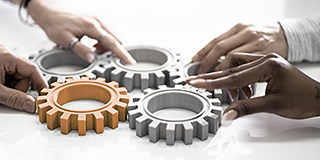 Original Equipment Manufacturers (OEM)
Mitutoyo OEM can address missing expertise or resources by supplying you with our renowned Metrology equipment that seamlessly integrates into your products.
 Aerospace
Complex aerospace applications need fast, extremely precise quality control to ensure accurate assemblies. See how Mitutoyo makes it happen.
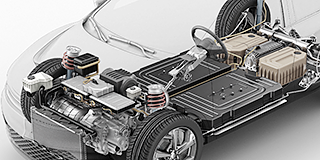 Automotive
The automotive industry continues to innovate, and Mitutoyo delivers the advanced inspection and scanning capabilities to help manufacturers achieve ongoing production
 Energy
Make critical equipment components for oil and gas, solar, wind, or nuclear as precise as possible with advanced metrology solutions from Mitutoyo.
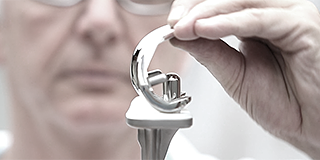 Medical
Boast unmatched accuracy and reliability for diagnostic and therapeutic devices, pharmaceutical goods, and countless other highly sensitive medical engineering applications with leading precision metrology solutions.
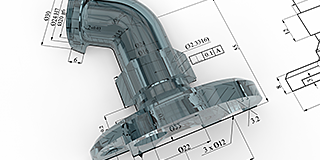 Gen. Manufacturing
Ensure high repeatability and rigorous quality control with form measurement solutions, coordinate measuring machines and precision measuring tools from Mitutoyo.
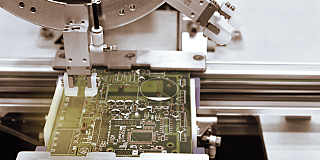 Electronics
The non-contact and vision measurement solutions from Mitutoyo bring microscopic accuracy to smaller and denser electronic components.
 Case Studies
For an overview of Mitutoyo's capabilities, this is no greater place to look than our marvelous collection of case studies.
 Mitutoyo Integrators
Integrating your measuring devices into existing processes made easy
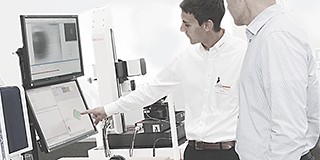 Product Demos
Online of offline, get a product demonstration today
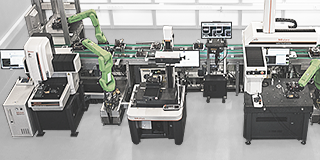 Manufacturing Automation Integration
Turn your factory into a smart factory with the help of Mitutoyo
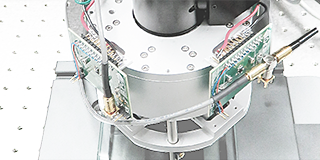 Custom Products
Custom-made products for unique applications
 Connectivity
Mitutoyo offers a range of products that incorporate connectivity features to enhance data management, analysis, and productivity.
 Helpdesk Support
Gratis Helpdesk support voor klanten met service contracten
 Kalibratie Services
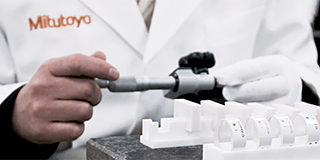
Laat je meetapparatuur kalibreren door een laboratorium dat je vertrouwt
 Meetservices
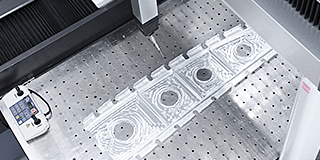
Laat uw werkstukken en onderdelen opmeten door onze Aukom gecertificeerde specialisten
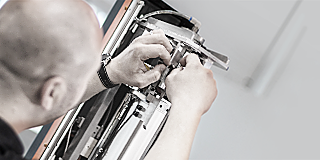 Reparaties & Reserve onderdelen
Reserveonderdelen en reparaties voor Mitutoyo-apparaten
 Service contracten
Klantgericht servicecontractconcept in onderhoud en kalibratie
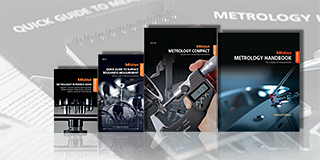 Education Pack
Er is geen betere hulp dan posters of lesmateriaal van Mitutoyo, perfect voor de werkplaats of het klaslokaal.
 E-Learning
Voor degenen die geïnteresseerd zijn in metrologie biedt Mitutoyo E-Learning-cursussen om studenten, personeel of zelfs hobbyisten op te leiden.
 Online Material
Als je op zoek bent naar een snelle manier om meer te leren over meten, bekijk dan onze vele instructievideo's
 Webinars
Explore our free webinars on measurement technology, best practices, and industry trends
 Training
Het overdragen van onze kennis om bij te dragen aan uw hoogwaardige productie.
 Ontdek Mitutoyo
Het grootste metrologiebedrijf ter wereld
 Trust center
Bekijk hier onze certificeringen, accreditaties en legitimiteit zodat u verzekerd bent van betrouwbare en geverifieerde diensten.
 Mitutoyo Danmark
Læs alt om Mitutoyo Danmark her
- Årets Slutkampagne 2026
- Measurlink 11
- Exchange Kampagne 2026
- Trådløs metrologikampagne 2026
- Roundtest - Gratis opspændingssæt
- Quick Image & M3 Software
- Presseområde
- Forhandlere
- Måleværktøj
- CRYSTA-KM 565
- QM Fit
- SJ-220 Overfladeruhedstester
- QuantuMike mikrometer
- LEGEX Takumi
- LH-600 F kampagne
- OEM-metrologiudstyr
- Mitutoyo 90 års jubilæum
- MCOSMOS 5
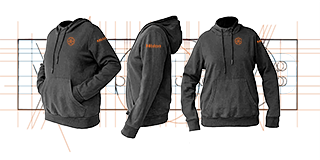 Merchandise
Voor degenen die in stijl over de winkelvloer willen lopen, ga naar de shop en steun je favoriete merk.
 Duurzaamheid
Kom meer te weten over hoe Mitutoyo bijdraagt aan een duurzame toekomst.

 Alle nieuwsberichten
Lees hier meer nieuws over Mitutoyo Nederland, België en Denemarken. Deze pagina wordt regelmatig vernieuwd.
 Software
Download onze software en updates gemakkelijk en snel.
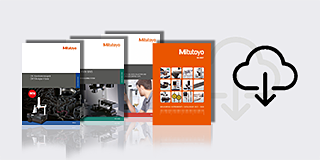 Product informatie
Bekijk en download onze catalogus, productbrochures en meer
 Verklaringen van conformiteit
Hier kun je de volledige versies voor de EU en het VK downloaden
 Gratis wallpapers
Download hier gratis de officiële wallpapers van Mitutoyo
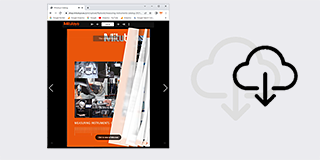 Online Catalogus
Bekijk ons uitgebreide assortiment in onze online catalogus!
-
Products
- Terug Products
- Products
- Product Highlights
-
Producten per Industrie
- Terug Producten per Industrie Alle Producten per Industrie
- MeasurLink 10
- MeasurLink 10
- Medical
- Automotive
- Aerospace
- Energy
- Gen. Manufacturing
- Electronics
- Case Studies
-
Handmeetgereedschappen
- Terug Handmeetgereedschappen Alle Handmeetgereedschappen
- Voorgekalibreerde gereedschappen
- Schuifmaten
- Schroefmaten
-
Binnenmeetinstrumenten
- Terug Binnenmeetinstrumenten Binnenmeetinstrumenten
- Binnenmeetinstrumenten
- Binnenmeettasters
- Accessoires voor binnenmeetinstrumenten
-
Diepte meetinstrumenten
- Terug Diepte meetinstrumenten Diepte meetinstrumenten
- Diepte schroefmaat
- Diepteschuitmaat
- Diepteschuifmaat accessoires
- Hoogtemeters
- Meetklokken en Snelopnemers
- Hulpstukken en diversen
-
Kalibratie instrumenten
- Terug Kalibratie instrumenten Kalibratie instrumenten
- Hoogteschroefmaat Height Master
- Stappeneindmaat
- Kalibratie apparatuur
- Eindmaten
- Geautomatiseerde meetsystemen
-
CMM
- Terug CMM Alle CMM
- Kleine en middelgrote CMM's
-
In-Line en werkvloer CMMs
- Terug In-Line en werkvloer CMMs In-Line en werkvloer CMMs
- MACH Ko-ga-me
- MACH 3A 653
- MACH V 9106
- MiSTAR 555
-
CMMs met grote afmetingen
- Terug CMMs met grote afmetingen CMMs met grote afmetingen
- CARB-Series
- CMM Rotatie tafels
-
CMM Tastsystemen
- Terug CMM Tastsystemen CMM Tastsystemen
- SurfaceMeasure
- REVO
- SP80
- TP7M
-
Styli
- Terug Styli Styli
- Styli Kits
- Rechte tasters
- Diamant Tasters
- IJkkogel Keramiek Ø10,0 mm
- Tasters voor bewerkingsmachines
- Ster Tasters
- Tasters voor Ster Tasters
- Cilinder Tasters
- Schijf Tasters
- Tip Tasters
- Verlengstukken
- Houders
- Adapters
- Verbindingstukken
- Bevestiging voor taster onderdelen
- Gereedschappen voor Tasters
- StyliCleaner
- Opspansystemen
-
CMM Accessoires
- Terug CMM Accessoires CMM Accessoires
- Behuizingen
- Veiligheidssystemen
-
CMM Software
- Terug CMM Software CMM Software
- MiCAT Planner
- MCOSMOS
- MAFIS Express
- MSURF
- SmartMeasure-AL
-
Vision
- Terug Vision Alle Vision
- Manueel 2D Vision Measuring Machine QM-Fit
-
2D Vision Meetsystemen Quick Image
- Terug 2D Vision Meetsystemen Quick Image 2D Vision Meetsystemen Quick Image
- Quick Image
- Quick Image Software
-
Manueel 3D Vision Meetsystemen Quick Scope
- Terug Manueel 3D Vision Meetsystemen Quick Scope Manueel 3D Vision Meetsystemen Quick Scope
- Manual Quick Scope
- Quick Scope Software
-
3D CNC Vision Meetsystemen Quick Vision
- Terug 3D CNC Vision Meetsystemen Quick Vision 3D CNC Vision Meetsystemen Quick Vision
- Quick Vision ACTIVE
- Quick Vision APEX / HYPER
- Quick Vision ACCEL
- Quick Vision ULTRA
-
3D CNC Multisensor Meetsystemen Quick Vision
- Terug 3D CNC Multisensor Meetsystemen Quick Vision 3D CNC Multisensor Meetsystemen Quick Vision
- Quick Vision Hybrid
- Quick Vision WLI
-
3D CNC Meetsystemen voor Micro Geometrieën
- Terug 3D CNC Meetsystemen voor Micro Geometrieën 3D CNC Meetsystemen voor Micro Geometrieën
- UMAP Vision Systems
- UMAP Software
-
Accessoires voor Vision systemen
- Terug Accessoires voor Vision systemen Accessoires voor Vision systemen
- Objectieven en kalibratiekaarten
- QV Index
- Accessoires voor TP-Retrofit
-
Optisch
- Terug Optisch Alle Optisch
-
Loepen
- Terug Loepen Loepen
- Clear Loupes
- Profiel Projectoren
- Meetmicroscopen
-
Microscoop Units
- Terug Microscoop Units Microscoop Units
- Microscope Unit FS70 Series
- Video Microscope Unit VMU Series
- TAGLENS
- Interferometer Units
- Oculairs en Objectieven
- M2 Software voor profielprojectoren en Meetmicroscopen
-
Bevestigingsonderdelen voor optische metingen
- Terug Bevestigingsonderdelen voor optische metingen Bevestigingsonderdelen voor optische metingen
- Optische meetopspanning Kits
- opti-fix-componenten
- opti-fix schroeven en gereedschappen
- Vorm
-
Hardheid
- Terug Hardheid Alle Hardheid
- Portable Hardness Testers
-
Hardness Testing Software
- Terug Hardness Testing Software Hardness Testing Software
- AVPAK
-
Reference materials and indenters
- Terug Reference materials and indenters Reference materials and indenters
- Hardness reference materials
- Hardness indenters and replacement balls
-
Sensoren
- Terug Sensoren Alle Sensoren
- Meettasters
-
Lage meetkracht meetinstrument
- Terug Lage meetkracht meetinstrument Lage meetkracht meetinstrument
- LITEMATIC VL-50 Gemotoriseerde lage meetkracht, zeer hoog nauwkeurig meetinstrument
- Tellers en uitleeseenheden
- Laser Scan Micrometers
-
Surface Measure
- Terug Surface Measure Surface Measure
- Surface Measure 1008S
- Accessories
- Sensor Management Software
-
Digital Scales
- Terug Digital Scales Alle Digital Scales
- DRO Linear Scales en Tellers
-
NC Linear Scales
- Terug NC Linear Scales NC Linear Scales
- NC Linear Scales ST36
- NC Linear Scales ST46-EZA
- NC Linear Scales ABS ST700
- NC Linear Scales ABS ST1300
- NC Linear Scales AT211
- NC Linear Scales ABS AT1100
- NC Linear Scales ABS AT1300
- NC Linear Scales AT402E
- NC Linear Scales AT203
- NC Linear Scales AT402E with cable A/B
- NC Linear Scales AT402E with cable C
-
Opbouwlinialen
- Terug Opbouwlinialen Opbouwlinialen
- Horizontal ABSOLUTE Scale Coolant Proof IP66
- Horizontal ABSOLUTE Scale Standard
- Horizontal ABSOLUTE Scale Measurement Direction Switching
- Horizontal ABSOLUTE Scale Diameter Function
- Vertical ABSOLUTE Scale Standard
- Vertical ABSOLUTE Scale Measurement Direction Switching
- Vertical ABSOLUTE Scale Diameter Function
-
Rotary Encoder
- Terug Rotary Encoder Rotary Encoder
- ABS OR700 BiSS-C
- ABS OR700 FANUC
- ABS OR700 ENSIS
-
Data Management
- Terug Data Management Alle Data Management
-
Data Management Software
- Terug Data Management Software Data Management Software
- MeasurLink 10
- USB-ITPAK
-
Mini Processors
- Terug Mini Processors Mini Processors
- Digimatic Mini Processor DP-1VA LOGGER
- Signaal kabels
- Draadloze communicatie
- Interfaces
-
Timerbox, Digimatic Switch Box, Tolerance Box
- Terug Timerbox, Digimatic Switch Box, Tolerance Box Timerbox, Digimatic Switch Box, Tolerance Box
- Digimatic Timerbox
- Digimatic Switch Box
-
Software
- Terug Software Alle Software
- Software voor CMM
-
Software voor Vision systemen
- Terug Software voor Vision systemen Software voor Vision systemen
- QVPAK
- QSPAK
- QIPAK
- M3 Software voor Quick Image
-
Software voor optische systemen
- Terug Software voor optische systemen Software voor optische systemen
- M2 Software voor Microscopen en Projectoren
- M3 Software voor MF Microscopen
- QSPAK-VUE
-
Software voor FMI
- Terug Software voor FMI Software voor FMI
- Formtracepak
- Roundpak
- Software voor harheidtesters
- Software voor sensor beheer
-
Software voor databeheer
- Terug Software voor databeheer Software voor databeheer
- Measurlink 10
- USB-ITPAK
- Automated Measuring Devices
- Industries
- Smart Factory
- Service
- Educatie
-
Over ons
- Terug Over ons
- Over ons
- Ontdek Mitutoyo
- Trust center
-
Mitutoyo Danmark
- Terug Mitutoyo Danmark
- Mitutoyo Danmark
- Årets Slutkampagne 2026
- Measurlink 11
- Exchange Kampagne 2026
- Trådløs metrologikampagne 2026
- Roundtest - Gratis opspændingssæt
- Quick Image & M3 Software
- Presseområde
- Forhandlere
- Måleværktøj
- CRYSTA-KM 565
- QM Fit
- SJ-220 Overfladeruhedstester
- QuantuMike mikrometer
- LEGEX Takumi
- LH-600 F kampagne
- OEM-metrologiudstyr
- Mitutoyo 90 års jubilæum
- MCOSMOS 5
- Merchandise
- Duurzaamheid
-
Nieuws
- Terug Nieuws
- Nieuws
-
Onze promoties
- Terug Onze promoties
- Onze promoties
- Evenementen
-
Alle nieuwsberichten
- Terug Alle nieuwsberichten
- Alle nieuwsberichten
- Klantcase - Mitutoyo helpt Gnosjö Automatsvarvning voorop te blijven lopen
- Mitutoyo Digitale Micrometer QuantuMike MD-E wint prestigieuze iF Design Award 2026
- Vacature - Field Service Engineer Noord-Nederland
- Samenwerking voor de ‘Fabriek van de toekomst | Mitutoyo is officiële DMQP-partner (DMG MORI Qualified Products)
- Klantcase - Mitutoyo en Nemera: Partnerschap op het gebied van nauwkeurige farmaceutische apparatuur
- EMO 2025
- Klantcase - Ceratec en Mitutoyo profiteren van elkaars expertises
- TechDemoweek 2025
- MITUTOYO VERSTERKT MET R&D DE EIGEN MARKTGEDREVEN AANPAK
- MITUTOYO, CRAFT EDUCATION EN DMG MORI BRENGEN METEN EN MAKEN BIJ ELKAAR
- Downloads
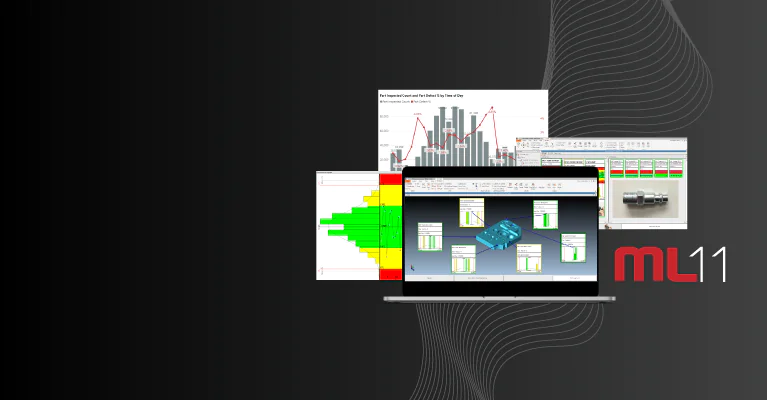



Measurlink 11
De slimste manier om meetdata te beheren
Elke meting vertelt een verhaal. MeasurLink helpt jou het te begrijpen.
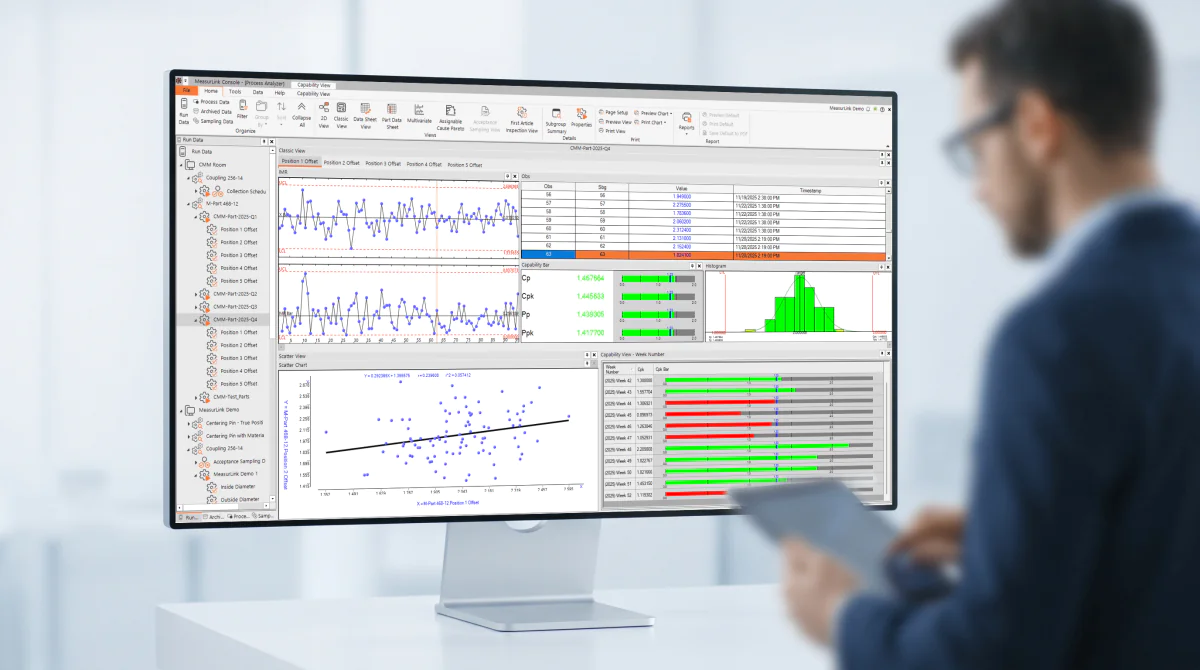
MeasurLink zet meetgegevens om in bruikbare inzichten, zodat jij processen in realtime kunt bewaken, afwijkingen vroegtijdig kunt detecteren en met vertrouwen kwaliteitsbeslissingen kunt nemen.
- Procesbeheersing
Bewaak jouw productie in realtime, herken trends tijdig en grijp snel in voordat afwijkingen invloed hebben op de productkwaliteit.
- Procesverbetering
Verminder uitval, optimaliseer werkprocessen en zet procesdata om in aantoonbare verbeteringen.
- Kwaliteitsborging
Versterk traceerbaarheid, naleving van normen en auditgereedheid met betrouwbare en transparante meetgegevens.
Waarom MeasurLink?






Wat is er nieuw in MeasurLink 11?
Overzichtstabel
| Feature | MeasurLink 9 | MeasurLink 10 | MeasurLink 11 |
|---|---|---|---|
| Realtime SPC & dataverzameling | ✓ | ✓ | ✓ |
| Koppelen van apparatuur (meetinstrumenten, CMM's, visionsystemen, enz.) | ✓ | ✓ | ✓ |
| Geavanceerde rapportage en analyse | ✓ | ✓ | ✓ |
| AS9102 First Article Inspection | ✓ | ✓ | |
| Data Transformation (automatic unit conversion, decimal shifting) | ✓ | ✓ | |
| Bijhouden en statistieken van gemiste inspecties | ✓ | ✓ | |
| OCR voor 2D-tekeningen & ballooning | ✓ | ✓ | |
| Directe koppeling met Mitutoyo S1-meters | ✓ | ✓ | |
| Moderne User Interface | ✓ | ||
| Dark Mode | ✓ | ||
| Vereenvoudigde implementatie en beheer | ✓ | ||
| Geïntegreerde bibliotheek voor onderdelen- en inspectieplannen | ✓ | ||
| Vereenvoudigde licentieverlening | ✓ | ||
| Ondersteunde Windows-versie | Windows 7, 10 | Windows 10, 11 | Windows 11 |
MeasurLink Modules: Een toelichting
Vind de juiste MeasurLink-module voor jouw kwaliteitsmanagement en benut de volledige waarde van jouw meetgegevens.
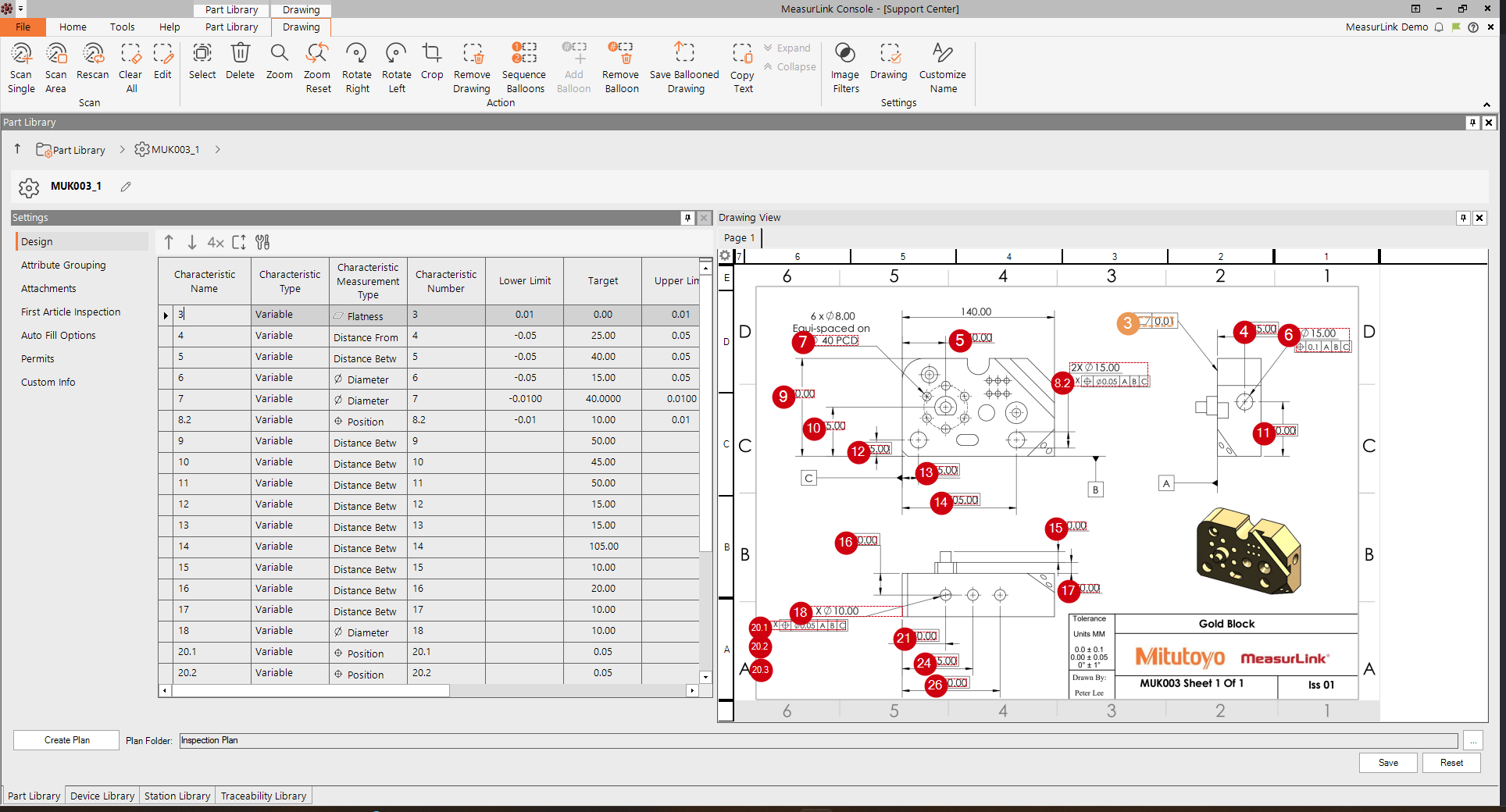
Stel inspectieprogramma's op, bepaal meetstrategieën, beheer vereisten voor traceerbaarheid en standaardiseer de inspectieplanning binnen de hele organisatie. Deze module is gratis.
Belangrijkste kenmerken:
- Ontwerpen van inspectieprogramma's
- Beheer van traceerbaarheid
- Inspectie planning
- Gecentraliseerde opslag van programma's
- Standaardisatie van workflows
Real-Time Professional – Behoud de volledige controle over jouw data-verzameling
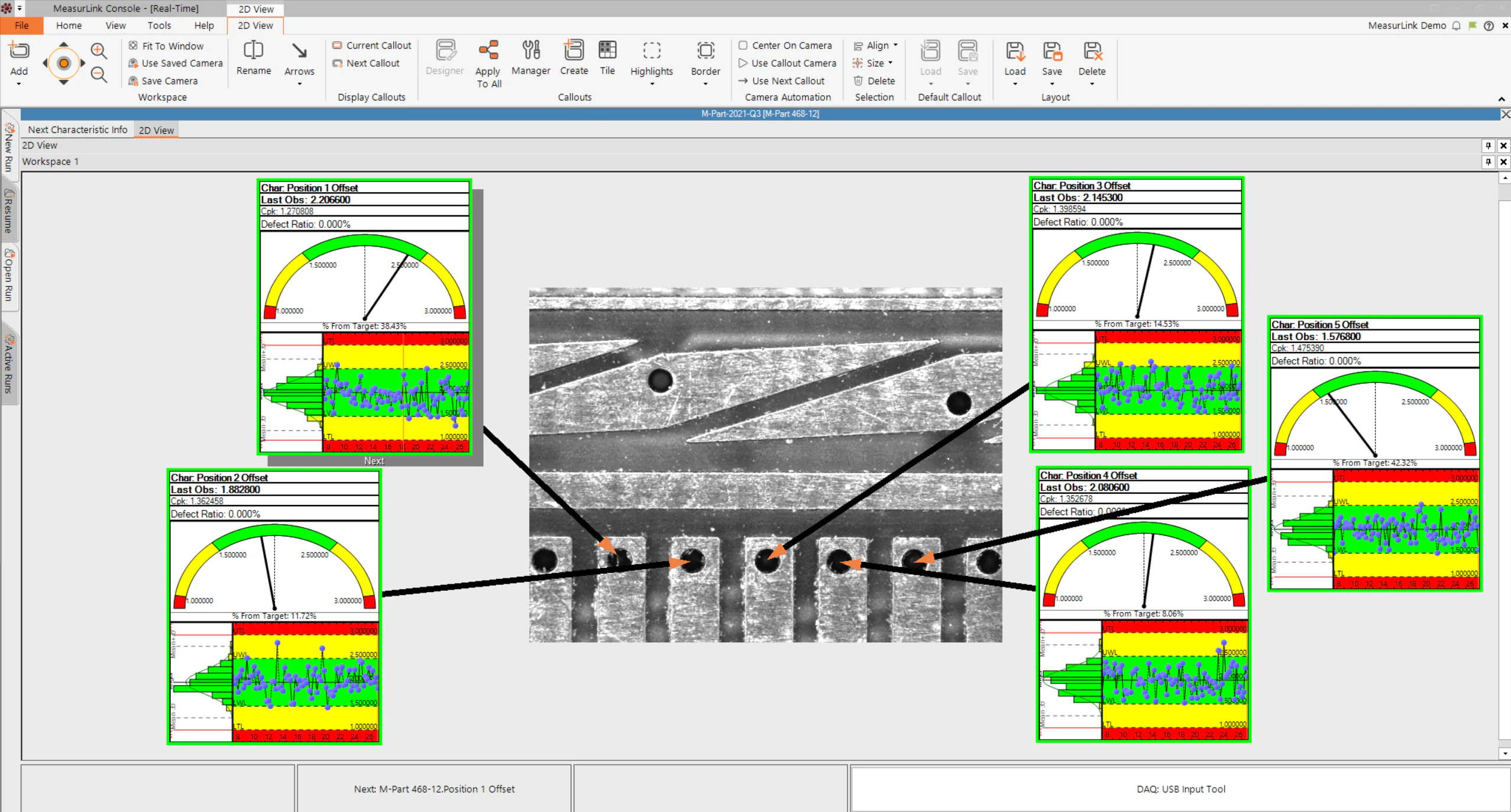
Verzamel meetdata direct tijdens het productieproces en ontvang direct feedback bij trends, cycli of afwijkingen. Beschikbaar met add-on voor compatibiliteit met 3D-bestanden.
Belangrijkste Kenmerken:
- Automatische gegevensverzameling
- Inspectie van variabelen en attributen
- SPC-analyse
- Real-time trendbewaking
- Begeleiding van de operator
Procesmanager – Krijg realtime volledig inzicht in alle meetstations
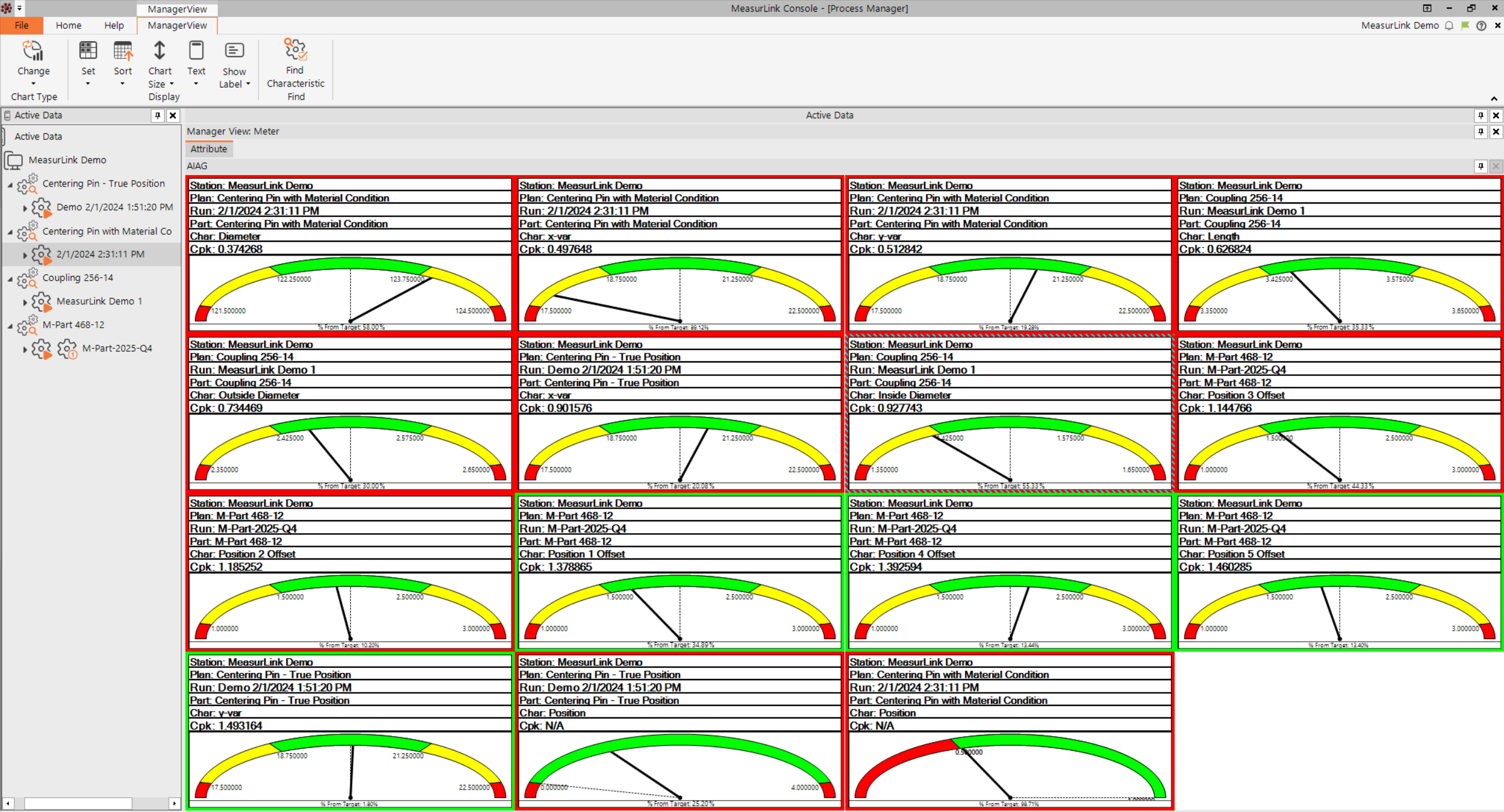
Monitor alle realtime-stations vanuit een centrale locatie. Krijg volledig inzicht in de kwaliteitsprestaties in de gehele fabriek.
Belangrijkste Kenmerken:
- Live kwaliteitsdashboards
- Monitoring van meerdere stations
- Visualisatie van KPI's
- Procesoverzicht
- Rapportage voor kwaliteitsmanagement
Process Analyzer – Verbeter kwaliteitsbeslissingen met geavanceerde analysetools
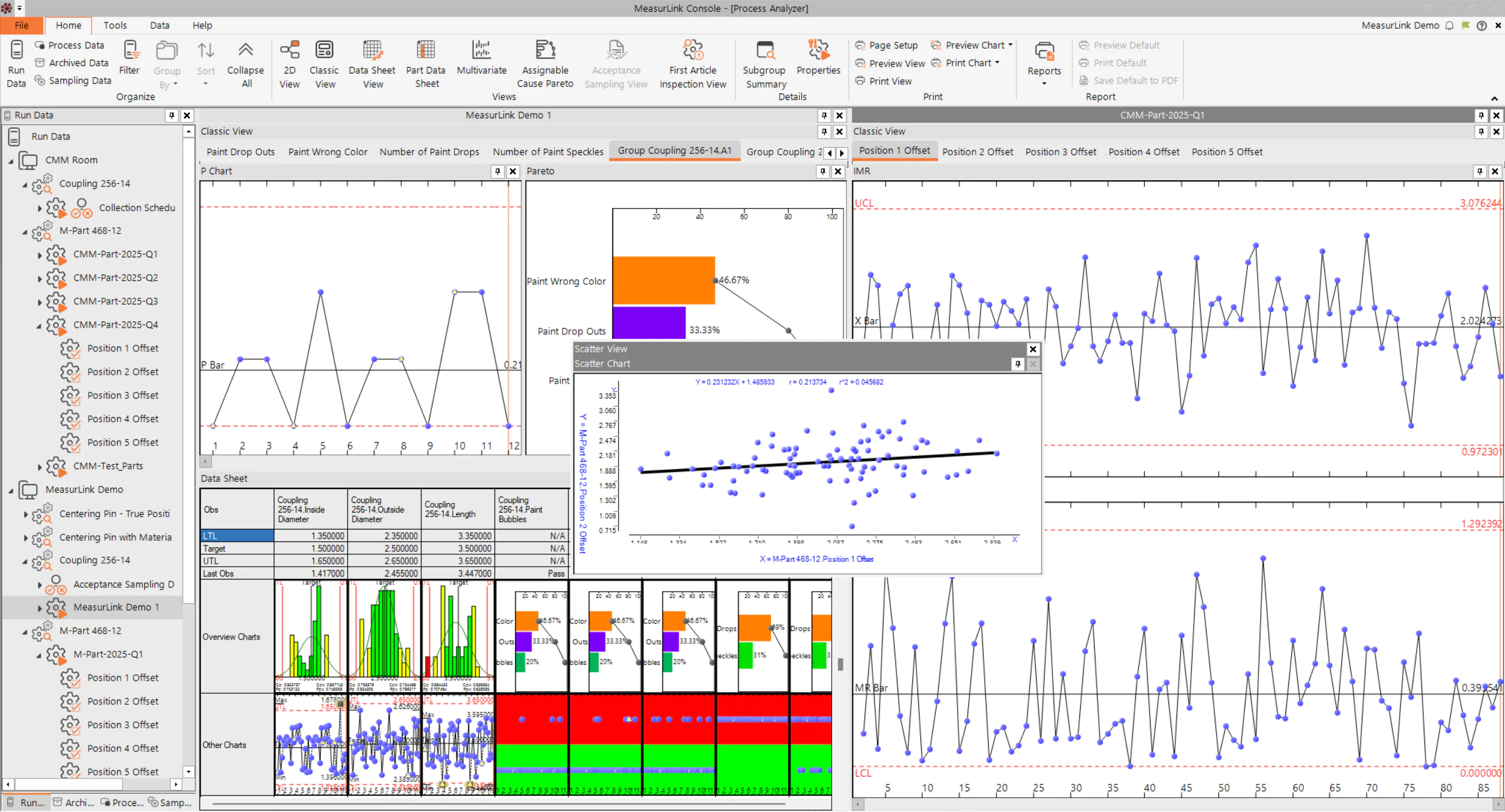
Zet historische kwaliteitsgegevens om in bruikbare inzichten. Identificeer trends, correlaties en hoofdoorzaken die van invloed zijn op de procesprestaties.
Belangrijkste Kenmerken:
- Trend analyse
- Correlatie analyse
- Analyse van hoofdoorzaken
- Samenvoegen en filteren van gegevens
- Geavanceerde grafieken
Gage R&R – Betrouwbare en consistente meetstandaarden gebruiken
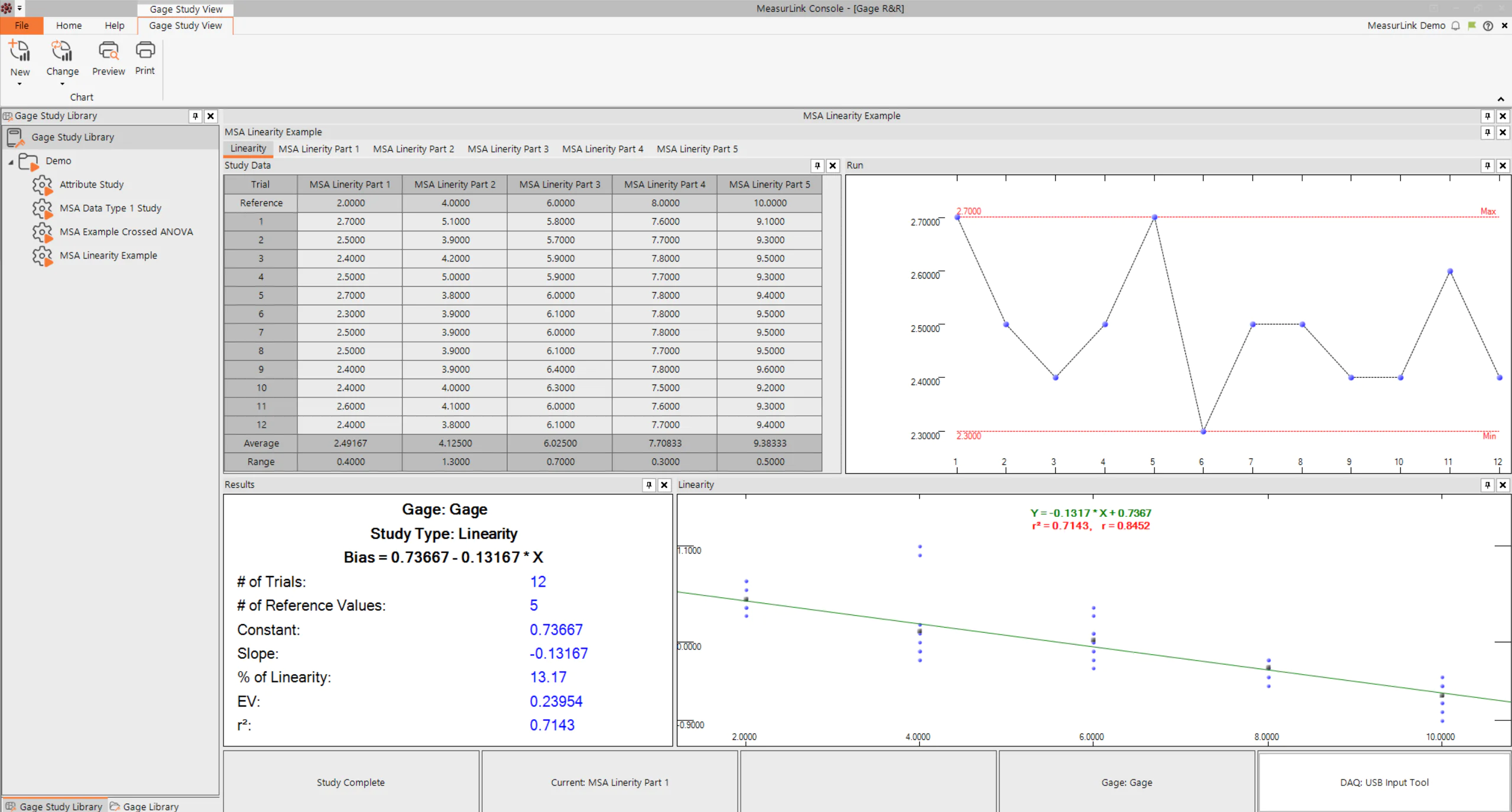
Controleer of meetsystemen geschikt, stabiel en reproduceerbaar zijn.
Belangrijkste Kenmerken:
- Herhaalbaarheidsstudies
- Reproduceerbaarheidsstudies
- Stabiliteitsanalyse
- Beoordeling van de bias (afwijking)
- Beoordeling van de prestaties van meetmiddelen
Gage Management – Houd op efficiënte wijze het overzicht bij van meetmiddelen en meetinstrumenten
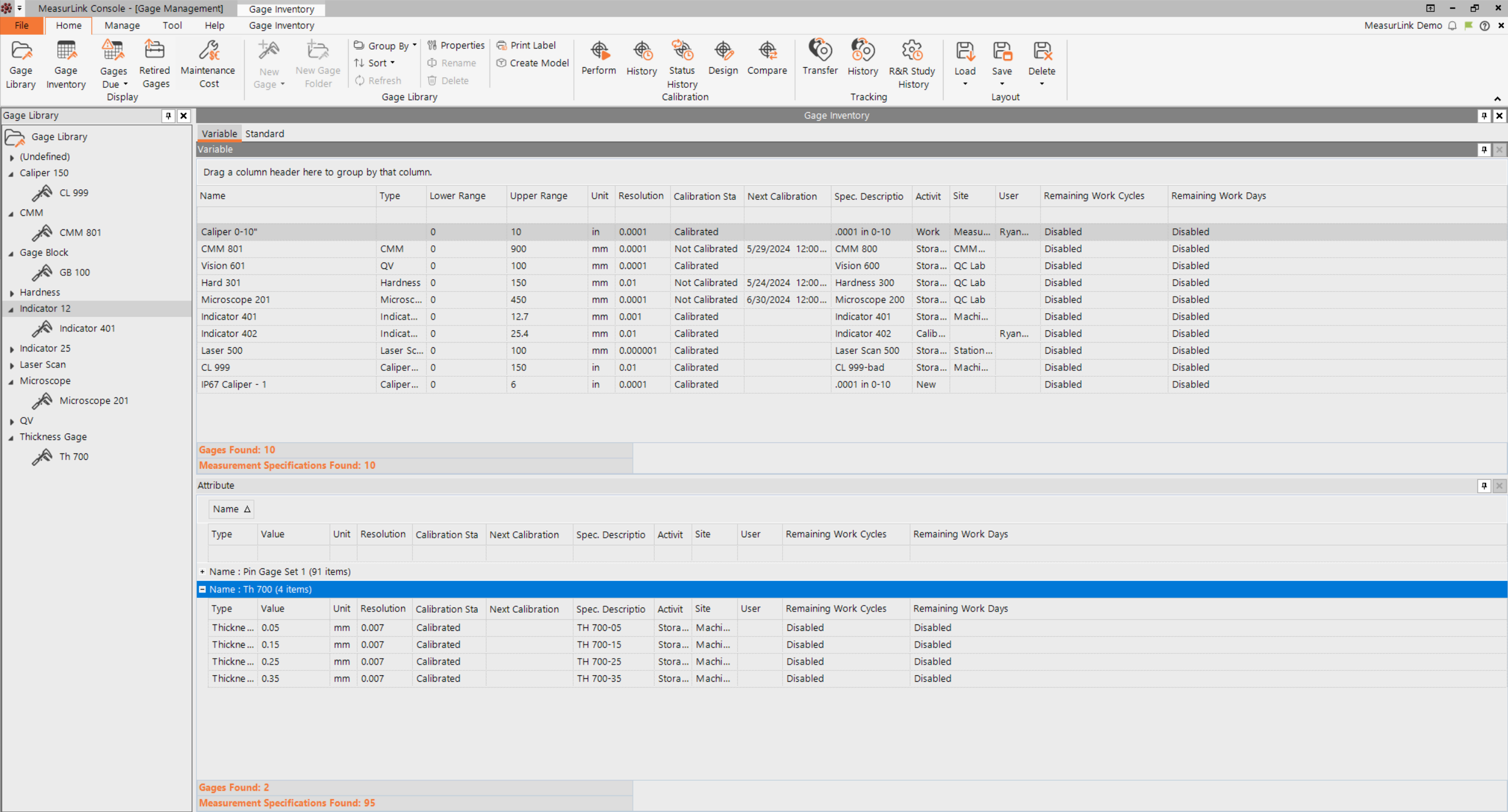
Houd volledige controle over meetmiddelen, kalibratieschema’s en de geschiedenis van apparatuur.
Belangrijkste Kenmerken:
- Kalibratieproces en -beheer
- Planning van herkalibraties
- Traceerbaarheid van apparatuur
- Gebeurtenisgeschiedenis
- Audit van meetmiddelen
Security center – Versterk de normen op het gebied van beveiliging, naleving en gegevensintegriteit
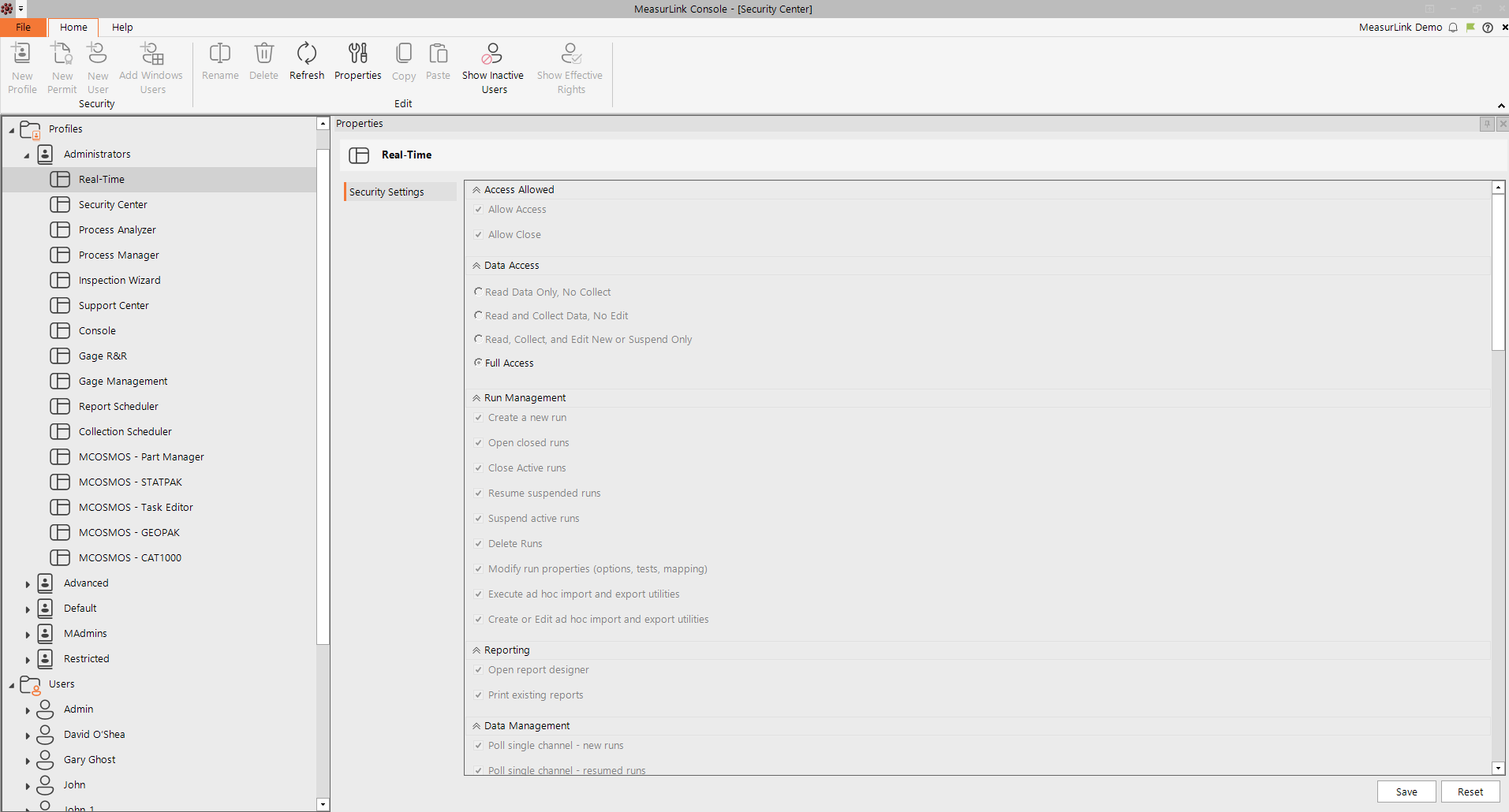
Beheer toegangsrechten en zorg voor een veilige werking van de MeasurLink-omgeving. Deze module is gratis.
Belangrijkse Kenmerken:
- Gebruikersbeheer
- Op rollen gebaseerde machtigingen
- Toegangscontrole
- Audittrails
- Ondersteuning bij het naleven van Security voorschriften
Report Scheduler – Houd belanghebbenden op de hoogte met geautomatiseerde rapporten
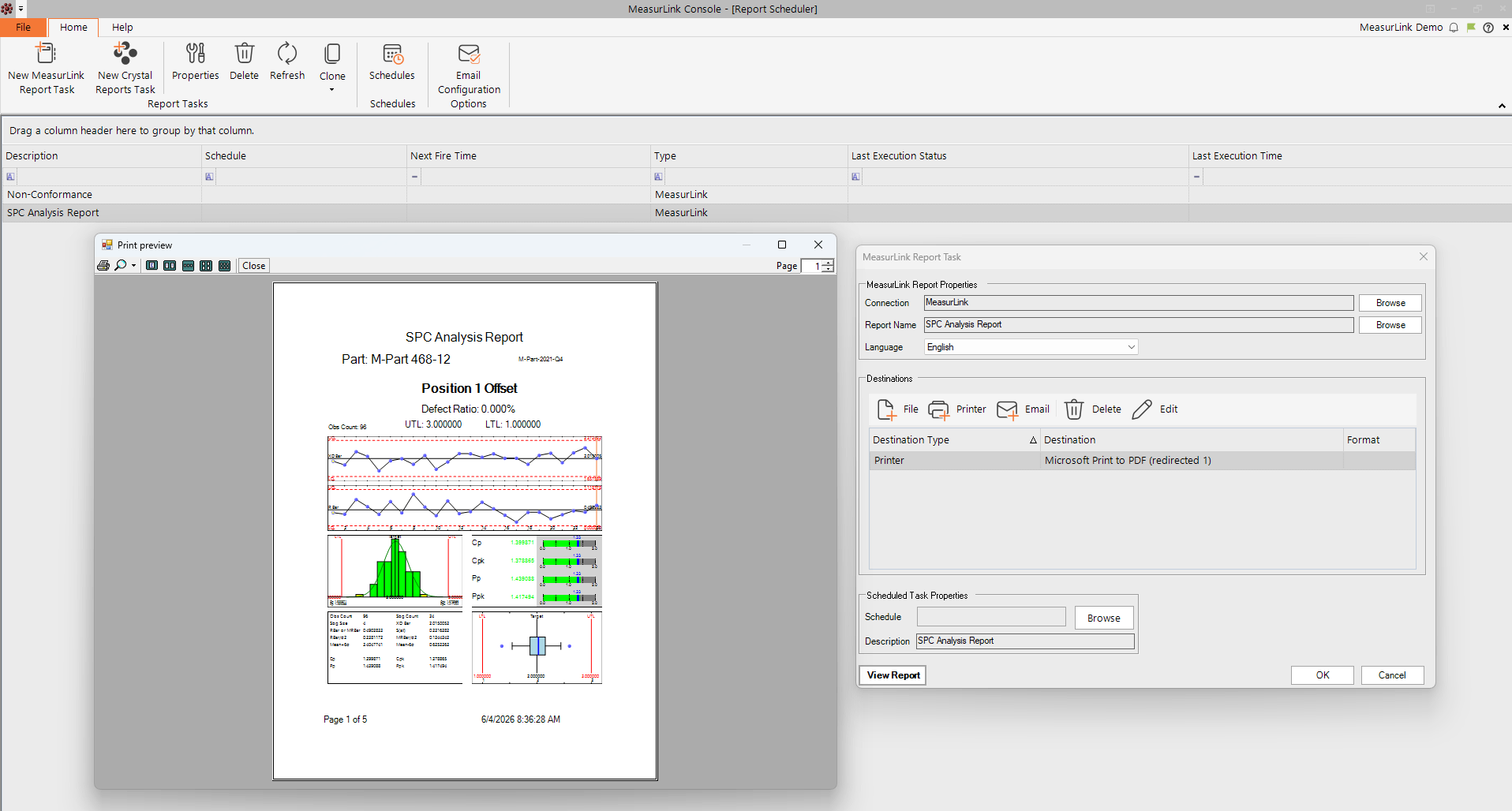
Verspreid kwaliteitsrapporten automatisch binnen de organisatie.
Belangrijkste Kenmerken:
- Geplande rapporten
- Verspreiding via e-mail
- Publicatie op het network
- Geautomatiseerd afdrukken
- Meldingen aan belanghebbenden
Collection Scheduler – Zorg voor tijdige en consistente gegevensverzameling
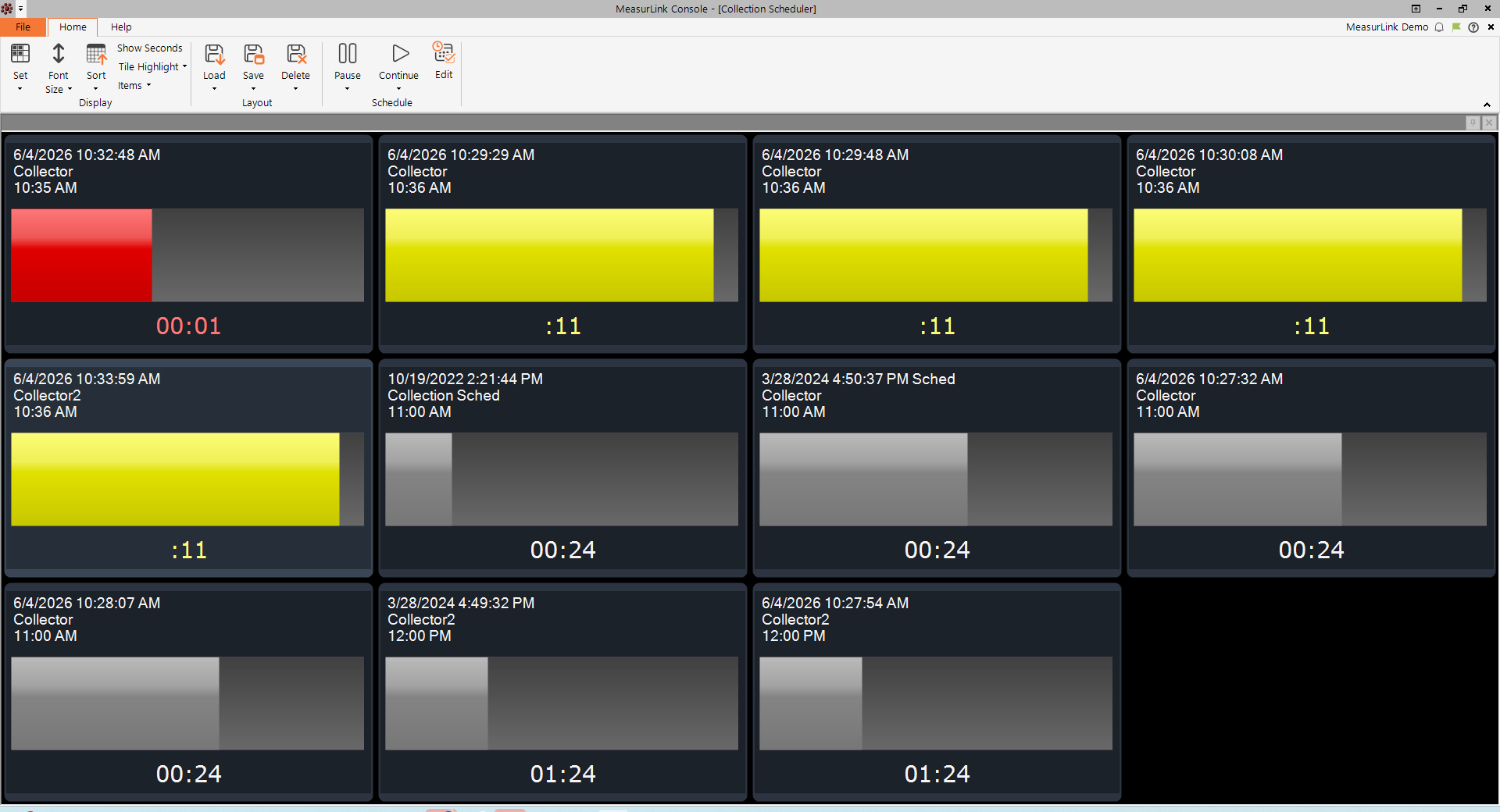
Zorgt ervoor dat periodieke inspecties correct worden uitgevoerd, dankzij een gebruiksvriendelijk, op kleurcodes gebaseerd controlesysteem.
Belangrijkste Kenmerken:
- Periodieke inspecties
- Inspectieherinneringen
- Geplande bemonstering
- Bijhouden van inspectiegeschiedenis
Defect analyse rapport voor Power BI - Foutgegevens overzichtelijk weergeven in managementdashboards
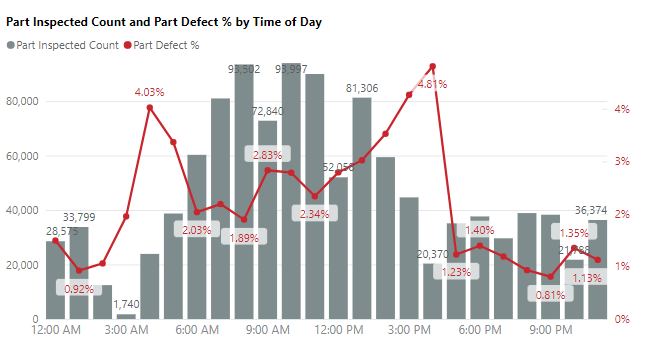
Zet kwaliteitsgegevens om in bruikbare inzichten met krachtige Power BI-dashboards en interactieve rapporten. Analyseer defecten, houd KPI’s in de gaten, signaleer trends en deel toegankelijke kwaliteitsinformatie met uw belanghebbenden.
Belangrijkste Kenmerken:
- Interactieve dashboards
- Defect analyse
- Visualisatie van KPI's
- Rapportage voor het management
Ontgrendel de kracht van uw meetdata met datagestuurde meettechniek!
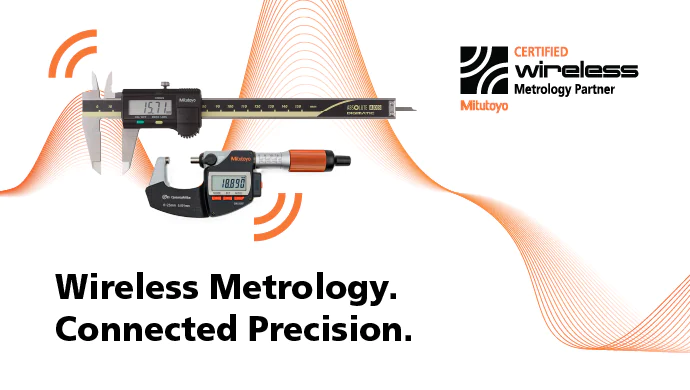
Zet de volgende stap naar slimmere kwaliteitscontrole met onze campagne voor draadloze meetechniek. Ontdek speciaal samengestelde sets met schuifmaten, schroefmaten, meetklokken en oppervlakteruwheidsmeters die zijn ontworpen voor draadloze gegevensverzameling. In combinatie met MeasurLink kunt u handmatige gegevensinvoer elimineren, de traceerbaarheid verbeteren en meetresultaten sneller dan ooit omzetten in bruikbare inzichten.
FAQ
MeasurLink® 11 wordt geleverd met Microsoft® SQL Server Express Edition 2025. Deze editie kan worden gebruikt voor een standalone-installatie of een werkworkgroep installatie met meerdere computers. (Wij raden aan om bij gebruik van SQL Server Express maximaal 5 licenties te gebruiken).
MeasurLink® 11 ondersteunt de volgende Microsoft® SQL Server Standard- en Enterprise edities: 2025, 2022, and 2019.
Vereisten voor het besturingssysteem
Alle MeasurLink® 11 producten worden ondersteund op alle Windows 11 versies (met uitzondering van IoT-versies).
Hardware Vereisten
Deze vereisten zijn de minimumvereisten voor het Windows®-besturingssysteem en bieden mogelijk geen optimale prestaties. Over het algemeen geldt: hoe krachtiger de pc, hoe sneller de responstijden!
-
Een processor van 1 gigahertz (GHz) of sneller (raadpleeg de gepubliceerde vereisten voor de specifieke Windows 11-versie die in gebruik is)
-
8 gigabytes (GB) RAM (meer bij multitasking)
-
20 GB beschikbare ruimte op de harde schijf (meer als de MeasurLink-database ook op dezelfde computer wordt gehost)
Welke licentieopties zijn er beschikbaar voor MeasurLink 11?
MeasurLink 11 biedt twee flexibele licentiemethoden:
Activering voor één pc (activeringscode)
Geschikt voor vaste gebruikers en stand-alone werkstations. De software wordt met een activatiecode op één computer geactiveerd, waarna alle aangeschafte modules beschikbaar zijn.
Floating / Concurrentie licentie
Perfect voor teams en organisaties. Licenties worden beheerd via een licentieserver en kunnen door meerdere gebruikers binnen het netwerk worden gedeeld. Elke gebruiker heeft toegang tot elke MeasurLink-module, mits er een licentie beschikbaar is. Wanneer een gebruiker de verbinding verbreekt, komt de licentie automatisch beschikbaar voor anderen.
Welke protocollen voor het uitwisselen van meetdata kunnen in MeasurLink 11 worden gebruikt?
MeasurLink 11 biedt standaard ondersteuning voor meetapparatuur van Mitutoyo en kan bovendien worden geïntegreerd met een breed scala aan apparaten en systemen van derden. Veelgebruikte methoden voor het verzamelen van gegevens zijn onder meer:
-
RS-232 communication
-
Bestandsimport
-
OPC UA
-
MQTT
-
QIF
-
Q-DAS formaten
Kan ik mijn MeasurLink-systeem later uitbreiden of upgraden?
Ja. MeasurLink 11 is ontworpen om mee te groeien met uw behoeften. Extra modules, werkstations en floating licenties kunnen op elk moment worden toegevoegd, zodat u klein kunt beginnen en kunt opschalen naarmate uw kwaliteitseisen veranderen. Bestaande gegevens en databases kunnen bij een upgrade behouden blijven, waardoor uw investering wordt beschermd en de continuïteit tussen softwareversies wordt gewaarborgd.